
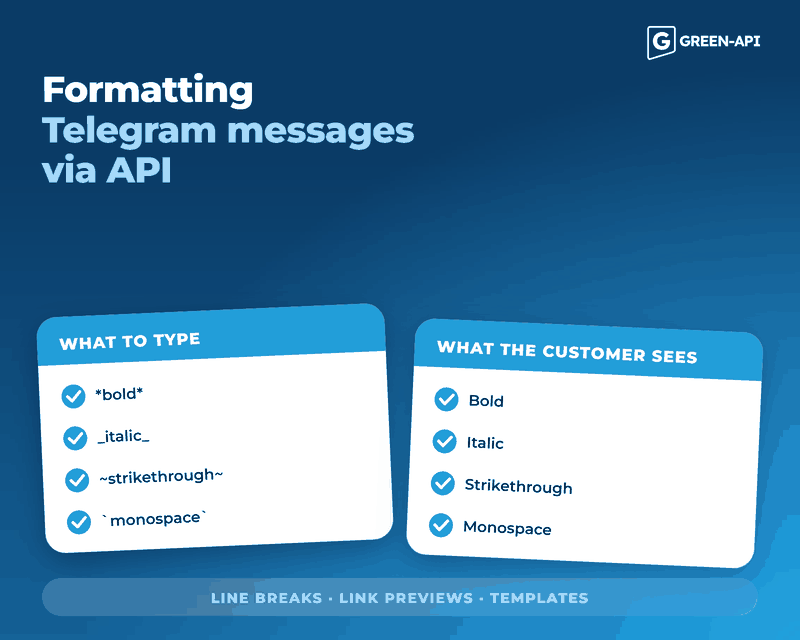
Two kinds of markup: Telegram Bot API and the account API
In the Telegram Bot API, formatting needs MarkdownV2 or HTML plus the parse_mode parameter. In the GREEN-API account API there’s no parameter: write the symbols directly in the message text, as in the WhatsApp API. If you copy Bot API code from a tutorial, the customer will see the raw symbols instead of styled text.
Compare what to write in the Bot API and in GREEN-API.
| Result | Bot API (MarkdownV2) | GREEN-API |
|---|---|---|
| Bold | *text* | *text* |
| Italic | _text_ | _text_ |
| Strikethrough | ~text~ | ~text~ |
| Monospace | `text` | `text` |
| Link with text | [text](URL) | [text](URL) |
| Underline | __text__ | does not work |
| Spoiler | ||text|| | does not work |
parse_mode parameter | required | not needed |
The Bot API markup is shown only for comparison. GREEN-API accepts only the symbols from the table below. Underline and spoiler don’t work: the customer will see the text with extra symbols.
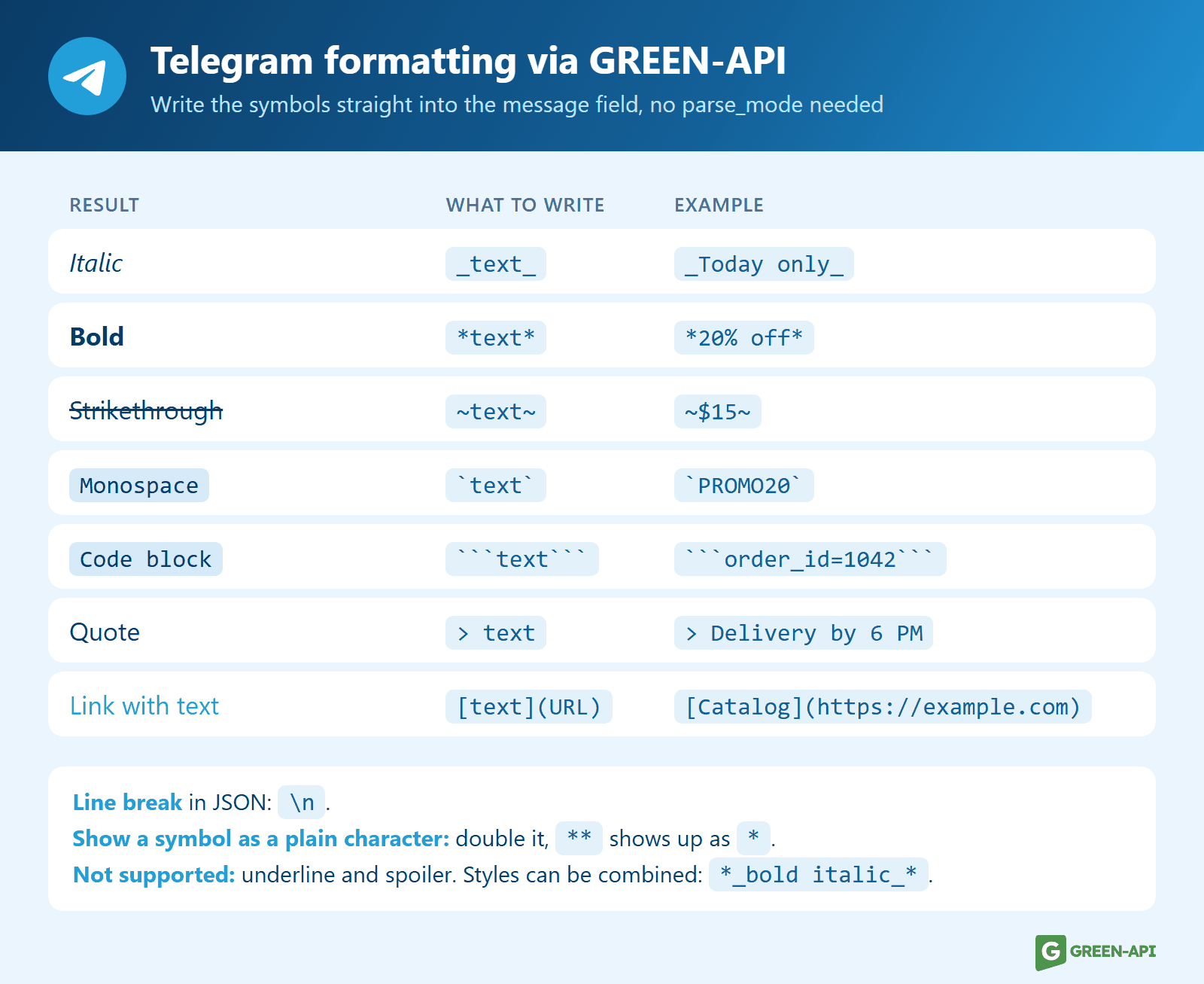
Text formatting: symbols cheat sheet
Put the symbols right next to the text, with no spaces inside.
| Result | What to write | Example |
|---|---|---|
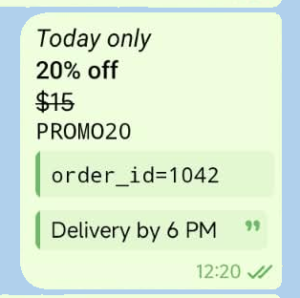
| Italic | _text_ | _Today only_ |
| Bold | *text* | *20% off* |
| Strikethrough | ~text~ | ~$15~ |
| Monospace | `text` | `PROMO20` |
| Code block | ```text``` | ```order_id=1042``` |
| Quote | > text | > Delivery by 6 PM |
| Link with text | [text](URL) | [Catalog](https://example.com) |
A quote works at the start of a line: first >, then a space. For a multiline quote, put > at the start of each line. The other styles can go anywhere in the text and can be combined: *_bold italic_*, *bold with ~strikethrough~*, > *bold in a quote*.
The same markup works in file captions (the caption parameter, up to 1024 characters). To show a markup symbol as a plain character, double it: ** shows up as a single *.
All symbols and escape sequences are collected in the FAQ: full formatting table. The Telegram app offers the same styles through the selected-text menu, but this article is about sending through the API.
Line breaks and special characters in JSON
The SendMessage request body is JSON, so line breaks and quotes are written as special sequences.
| Symbol | What it does | Example |
|---|---|---|
\n | New line | Line 1\nLine 2 |
\" | Quotes in text | Text with \"quotes\" |
\\ | Backslash | Path C:\\docs |
Single quotes go in as they are: Text with 'quote' is sent as is. In a CRM or n8n, make sure a line break in the field becomes \n in the request body.
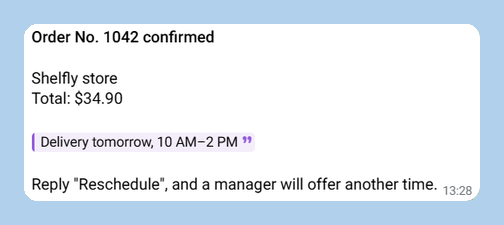
A SendMessage request body with multiline text:
{ "chatId": "79876543210@c.us", "message": "*Order No. 1042 confirmed*\n\nShelfly store\nTotal: $34.90\n\n> Delivery tomorrow, 10 AM–2 PM\n\nReply \"Reschedule\", and a manager will offer another time."}
Link previews: why they appear and why they do not
You can’t set the link card in the request. Telegram builds it from the page’s meta tags: title, description and image. The GREEN-API Telegram account API cannot control it: the linkPreview, typePreview and customPreview parameters from the WhatsApp API do not work here, and the list of SendMessage parameters for Telegram does not include them.
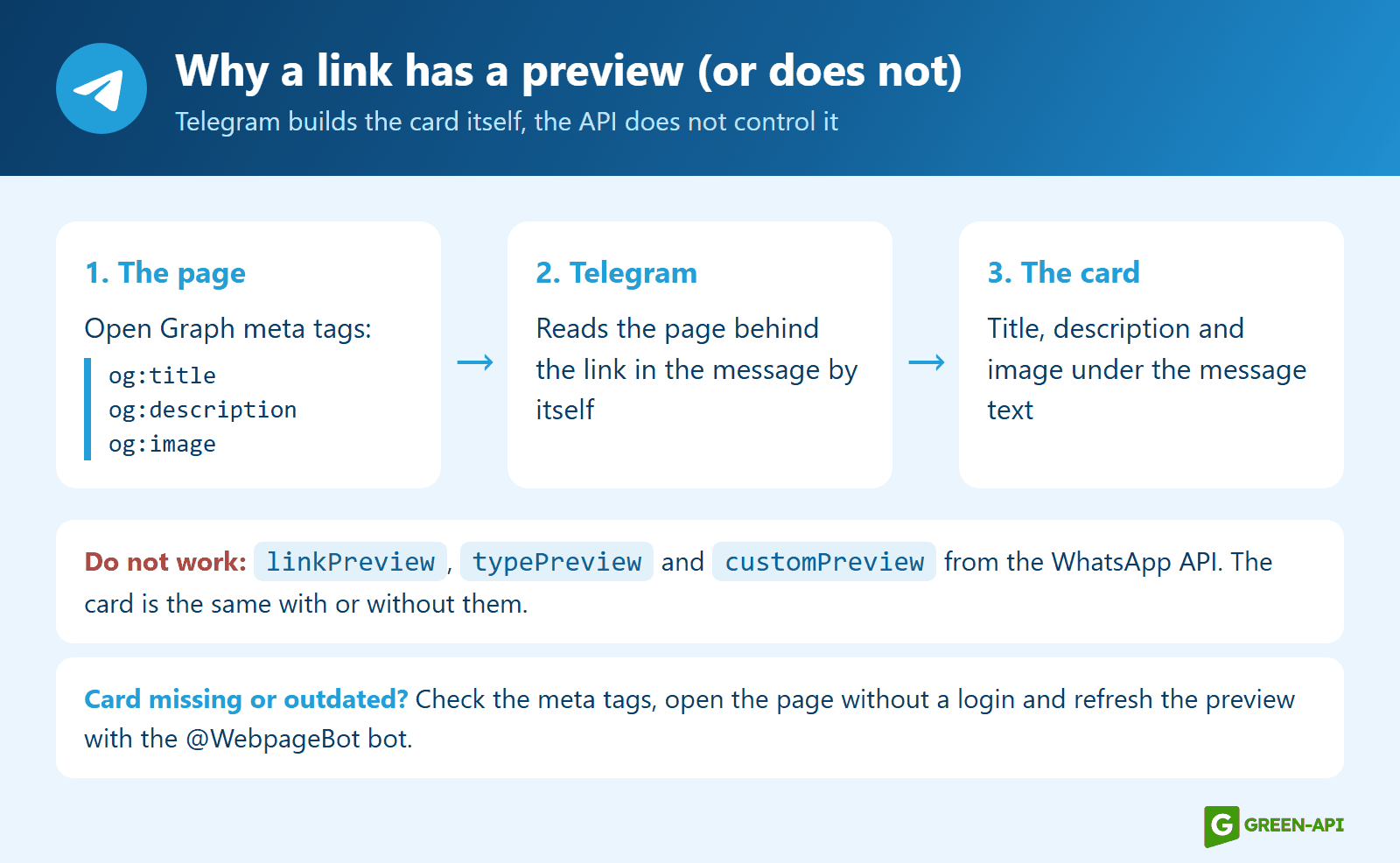
If there is no card, check that the page has Open Graph meta tags (og:title, og:description, og:image) and opens without a login. If the meta tags changed but the card is old, refresh it with the @WebpageBot bot.
Emoji and message length
Emoji are supported, and you can put them into message as regular characters. Sometimes a CRM or app corrupts emoji on the way to the API. In that case, write them as escape codes in the message text: 😁 becomes \uD83D\uDE01.
The maximum text length is 4096 characters. The documentation describes an HTTP 400 error for a longer message, but the API may accept the request while the message never reaches the recipient. There is no automatic truncation, so check the length before sending, and split long text by paragraphs into several requests.
Ready-made message templates
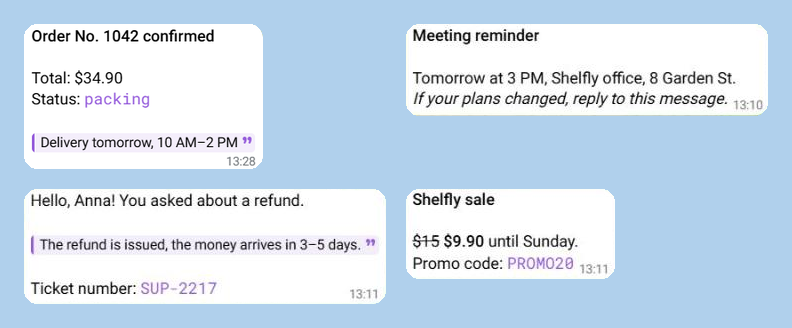
Copy the message value and replace the data with your own. Shelfly in the examples is a fictional store.
Order confirmation
"message": "*Order No. 1042 confirmed*\n\nTotal: $34.90\nStatus: `packing`\n\n> Delivery tomorrow, 10 AM–2 PM"
Meeting reminder
"message": "*Meeting reminder*\n\nTomorrow at 3 PM, Shelfly office, 8 Garden St.\n_If your plans changed, reply to this message._"
Support message
"message": "Hello, Anna! You asked about a refund.\n\n> The refund is issued, the money arrives in 3–5 days.\n\nTicket number: `SUP-2217`"
Announcement with a promo code
"message": "*Shelfly sale*\n\n~$15~ *$9.90* until Sunday.\nPromo code: `PROMO20`"
Common mistakes
- Double asterisks. The
**text**form from regular Markdown shows up as*text*without bold. Use one asterisk on each side. - A space inside the symbols.
* text *gives no styling: write*text*right against the words. - An unclosed symbol. An opened and never closed
_stays in the text. Check the pairs in templates with data substitution. - Markup around a link.
*https://example.com*does not make the URL bold: the asterisks disappear, and the link stays plain. If the link must stand out, give it clear text:[Catalog](https://example.com). - Unescaped quotes. A
"insidemessageends the JSON string, and the request returns an error. Write\".

The same format in WhatsApp
The markup matches the GREEN-API WhatsApp API: *bold*, _italic_, ~strikethrough~. One text template can go to both messengers, with only the instance data and chatId changed. Mind the length: the WhatsApp API accepts up to 20,000 characters, while Telegram takes up to 4096, so a long message has to be split into parts for Telegram.
All methods and parameters are collected in the GREEN-API Telegram API documentation. To test the markup on your own account, connect an instance on the free Developer plan: Telegram API from GREEN-API.
FAQ
How do I make bold text in Telegram via API?
Put the text between two asterisks, one on each side: *bold text*. The parse_mode parameter from the Bot API is not needed.
Why do I see asterisks instead of formatting?
Usually it is one of three causes: a space inside the symbols, an unclosed pair, or double asterisks ** from regular Markdown. Write *text* right against the words and close every pair.
How do I send text with a line break?
Put \n where you need it in the message string: Line 1\nLine 2.
How do I turn off the link preview?
The GREEN-API Telegram account API cannot do it. The linkPreview parameter does not work here: Telegram builds the card by itself from the page meta tags. If you do not need the card, remove the link from the message.
Can I make a spoiler?
No. The ||text|| spoiler from the Bot API does not work in the GREEN-API API: the customer sees |text|. Available styles are italic, bold, strikethrough, monospace, code block, quote and link with text.
Try the cheat sheet on your own message: connect the GREEN-API Telegram API and send a test request on the Developer plan.