
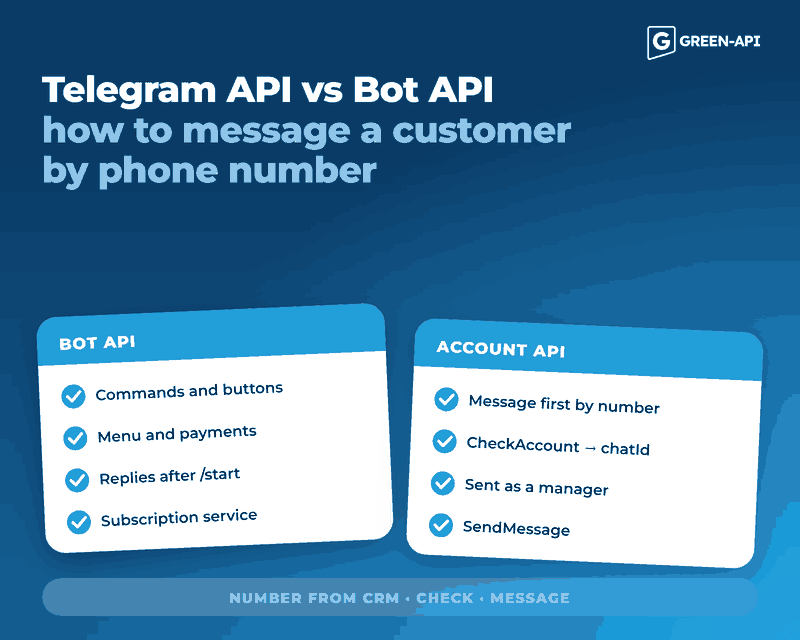
What the Telegram Bot API is and what it does
The Telegram Bot API is the official HTTP interface for bots. A developer creates a bot with @BotFather, gets a token and sends requests to the Telegram server. Telegram labels such an account «bot» in its profile.
When the customer starts the conversation, a bot can:
- handle commands such as /start, /help, /order;
- show buttons under messages and a menu;
- answer questions, take requests and accept payments;
- open mini apps inside Telegram;
- work in groups and channels where an admin has added it.
For a subscription service, that’s enough. The customer taps /start, the bot gets their ID and can send notifications from then on.
Bot limitations: why a bot can’t message first
Four Bot API limitations get in the way when you message customers from a CRM.
A bot can’t start a conversation. Until a person starts the bot, it usually can’t send them anything. The exceptions need a manual step: the bot owner invites a few people to a chat with the bot through a special link, or the user allows the bot to message them in a mini app. If the customer blocks the bot, messages won’t get through.
A bot can’t search by phone number. The Bot API has no method that finds a Telegram user by phone number. A number from an order or a website form is useless to a bot.
A bot can’t see contacts. A bot gets the customer’s number only if the customer taps «Share contact». A bot has no contact list.
The bot writes, not the manager. The customer sees an automated account, not a person they know. For support and personal sales, that’s often a drawback.
The business knows the customer’s number but can’t reach them through a bot until the customer makes the first move.
What a Telegram account API is
A Telegram account API, also called a Telegram user API, is the same Telegram your manager has on their phone, controlled by requests from your system. The account connects to GREEN-API as one more device by scanning a QR code. Your CRM or website then sends messages on behalf of this account and receives customer replies.
The customer sees a normal chat with the company’s number. They don’t need to find a bot or tap anything: the message arrives in Telegram. The manager sees the same chat in the app on their phone and can reply by hand.
How the GREEN-API Telegram API works: the architecture and request logic are the same as in the WhatsApp version. The main difference is the chat ID format: in Telegram, it’s a number without a suffix, like 10000000.
A phone number is a universal customer key
A business almost always has the customer’s number: in the CRM record, the online store order, the appointment, the website form. Few people know a customer’s Telegram username, and without a bot there’s nowhere to get a user ID.
One number works as a key across messengers. Through the API, you can message a customer in Telegram by phone number without a bot and without the customer subscribing. With the same number, you check whether the customer has WhatsApp or Telegram and write where they are. You don’t need to collect bot subscribers and match them with your database.
How to send a message by phone number with GREEN-API
The flow has three steps: number → check → message.
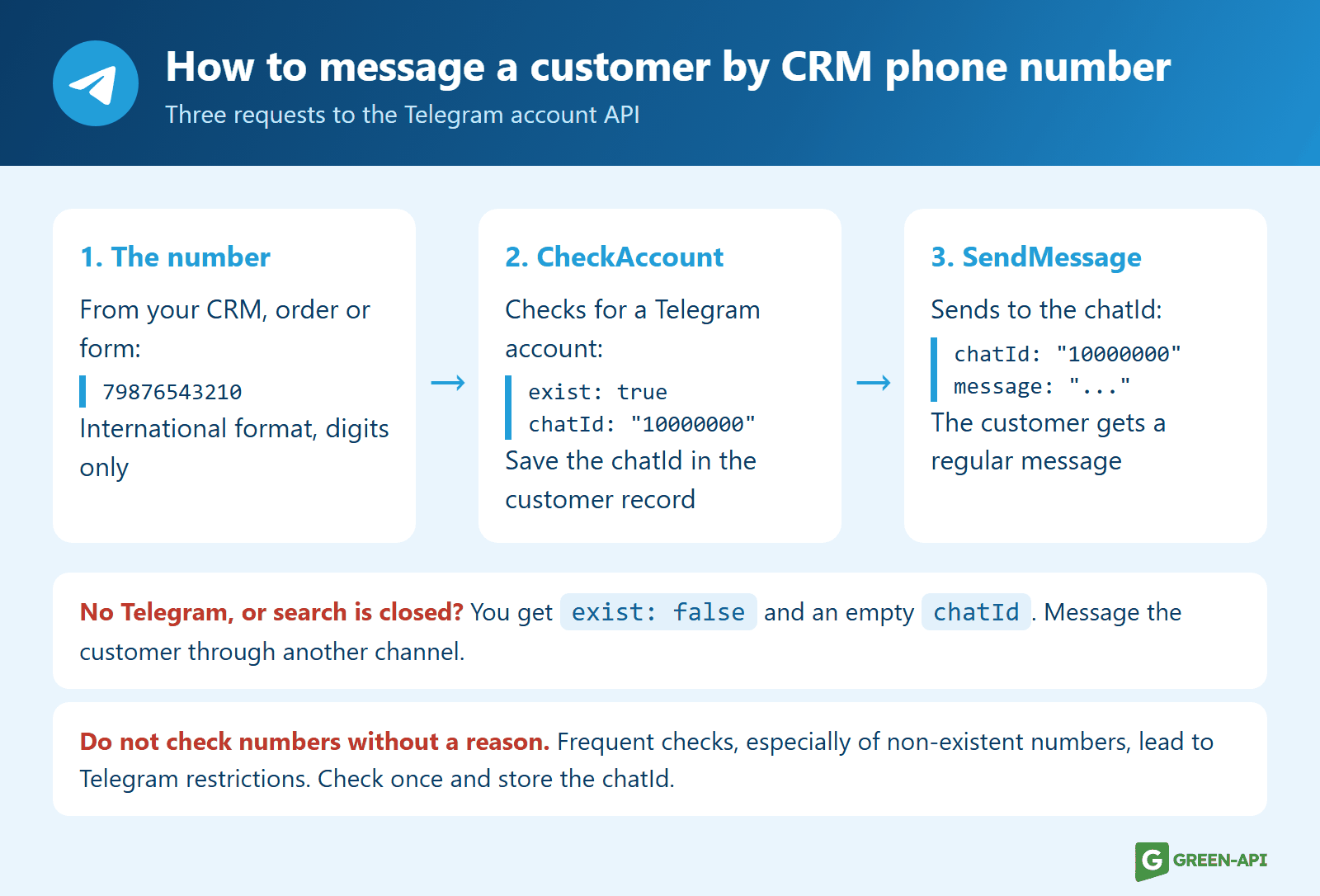
Step 1. Check the user by phone number. To check whether a number has Telegram, send a POST request to the CheckAccount method at {{apiUrl}}/waInstance{{idInstance}}/checkAccount/{{apiTokenInstance}}. Write the number in international format, digits only:
{ "phoneNumber": 79876543210}
Step 2. Get the chat ID by phone number. If the account exists, the response contains exist: true and the chat ID:
{ "exist": true, "chatId": "10000000", "username": "@username", "phoneNumber": 79876543210, "fromCache": true}
Save the chatId in the customer record. If you get exist: false with an empty chatId, there are two possible reasons:
- the number has no Telegram account;
- the customer restricted search by number: Phone Number → Who can find me by my number? is set to «My Contacts», and your number isn’t in their contacts.
The API can’t tell these cases apart. Reach this customer through another channel.
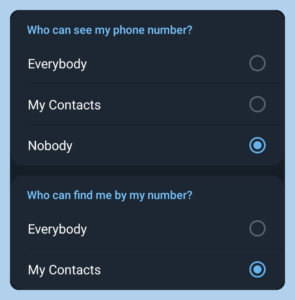
One more setting matters. A Telegram Premium user can allow new chats only from their contacts and Premium accounts. In that case, a first message from a regular account won’t reach them, even if CheckAccount found the number.
Step 3. Send the message. To send a message in Telegram, pass the saved chatId to the SendMessage method:
{ "chatId": "10000000", "message": "Hi Anna! Your Shelfly order #1842 is packed. The courier will deliver it tomorrow between 10:00 and 14:00."}
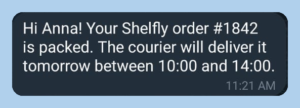
The response contains an idMessage. Status notifications for this ID show whether the message was delivered and whether the customer read it.
You can send a message by phone number right away, without a prior check: use 79876543210@c.us instead of the chatId. This format exists for backward compatibility, so the documentation recommends sending to the chatId from CheckAccount. There’s also a practical reason: on the free plan, the same recipient by number and by chatId counts as two chats.
Don’t check numbers without a reason. Telegram notices frequent checks, especially repeated checks of the same non-existent number, and may restrict the account temporarily. Check each number once and store the result. If the API returns rate_limit_exceeded, pause checks on the instance for 2 hours, as the documentation recommends.
Message only people who have agreed to hear from you: customers, buyers, patients with a booked appointment. If recipients report your messages as spam, Telegram moderators may limit the account for a while. A limited account messages only people who have its number saved as a contact, and replies to anyone who writes first.
Telegram Bot API vs account API: comparison table
| Task | Bot API | Account API |
|---|---|---|
| Message first | Only exceptions | Yes |
| Find by number | No | CheckAccount |
| Contacts | Only if shared | Account contacts |
| Groups | If an admin adds it | Where the account is |
| Sent as | Bot account | Company number |
| Buttons and commands | Yes | No |
A bot waits for the customer to come. An account API messages the customer first.
When a bot is the better choice
The Bot API fits better if:
- customers come to you for a service: check a balance, track an order, book a slot;
- you need buttons, a menu and commands that guide the customer step by step;
- you run a large subscription service: news, notifications, broadcasts to people who tapped /start;
- you need payments or a mini app inside Telegram.
A bot and an account API work together. The bot takes incoming requests and answers common questions. The account messages first using the number from your CRM and handles personal conversations.
Business scenarios
Order notification. A shopper places an order at Shelfly and leaves a phone number. The CRM checks the number, saves the chatId and sends a Telegram message when the order is packed, handed to the courier or ready for pickup.
Appointment reminder. Maple Dental reminds a patient about their visit the day before. The patient replies in the same chat, and the receptionist sees the reply in the CRM.
Manager reply from the CRM. A customer leaves a request on the website. The manager messages them in Telegram from the deal card, and the conversation stays in the customer history.
One integration for WhatsApp and Telegram. GREEN-API uses the same methods and request structure for both messengers. Each messenger needs its own instance, and the chatId format differs: in Telegram, it’s a number without a suffix. One integration checks the number in both messengers and writes where the customer has an account.
How to get started with the Telegram API
- Sign up for the GREEN-API console, click Create instance and choose Telegram.
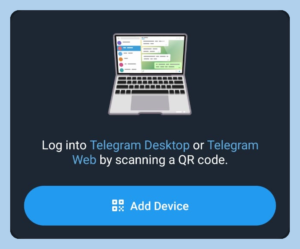
- Authorize the account: in Telegram on your phone, open Settings → Devices → Add Device and scan the QR code from the console.
- Copy
idInstanceandapiTokenInstance, send your first CheckAccount request, then SendMessage.
One instance works with one Telegram account. Use the free Developer plan for testing and the Business plan for working with customers. If something goes wrong, GREEN-API support can help you sort it out.
Telegram API pricing: start with the free Developer plan and send your first message to a customer from your CRM.