
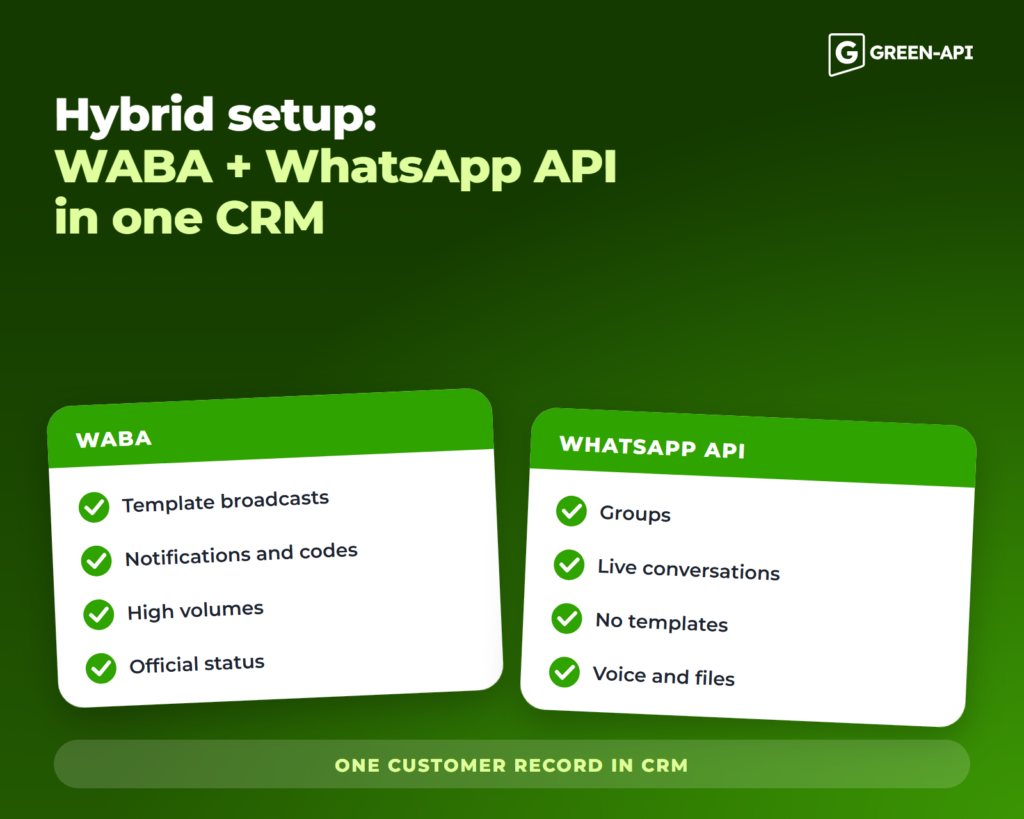
WABA vs WhatsApp API: how the channels differ
| WABA (WhatsApp Business API) | WhatsApp API by GREEN-API | |
|---|---|---|
| Setup | Through a provider and a Meta business portfolio, on a number with no WhatsApp account | Scan a QR code, as with WhatsApp Web |
| Templates and the 24-hour window | You can only start a chat with an approved template; free-form replies within 24 hours of the customer’s last message | No templates, no window |
| Groups | Not supported in GREEN-API: WABA. Meta’s Groups API: Official Business Accounts only, up to 8 participants, joining by invite link only, each group message billed per participant | Create groups, add participants, assign admins |
| Bulk messaging | Templates only, with recipient opt-in, within messaging limits | Technically possible, but the main reason numbers get banned |
| Ban risk | Low if you follow the rules; complaints lower your quality rating and limits | High for bulk and cold messages, especially on new numbers |
| Pricing | At Meta’s rates for templates and, since October 1, 2026, for replies in the 24-hour window beyond 1,000 free per month per number. Plus the provider’s fee | Monthly fee per number, no per-message charges |
| Badge | You can get the official business badge | No official business badge |
| Best for | Notifications, broadcasts, one-time passcodes, high-volume support | Sales reps, community managers, customer groups |
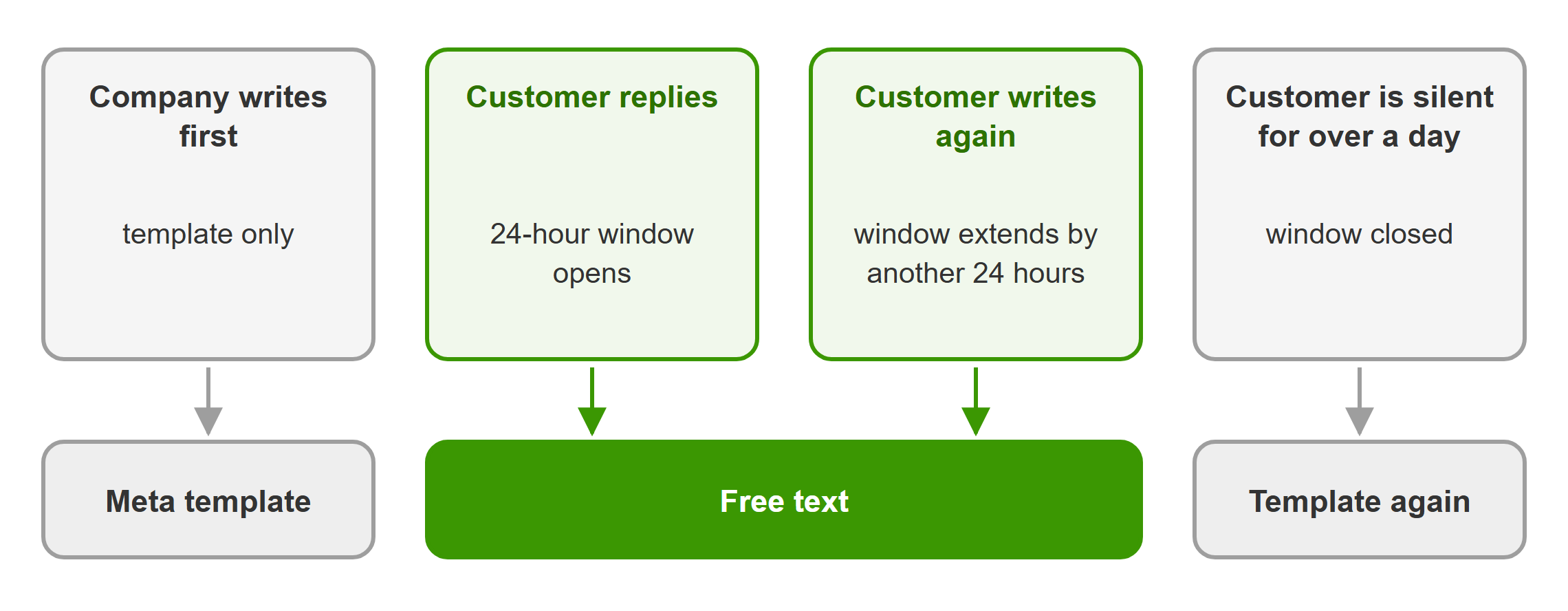
What is the 24-hour window? In WABA, you cannot just message a customer as in regular WhatsApp. When a customer writes to you, a 24-hour window opens, and you can reply with free-form text. Each new message from the customer restarts the window. If the customer has been silent for longer, or you are writing first, you can only send a template: a message text that Meta has approved in advance.
Where each channel works best
WABA is the right choice when volume and official status matter. WhatsApp Business API broadcasts fit these tasks:
- template broadcasts: promotions, reminders, win-back campaigns;
- order, appointment, and payment notifications;
- one-time passcodes (OTP);
- high volumes: your limit grows with message quality, and the number is not banned for volume alone;
- official status and a verified company name on the profile.
WABA has limits too: Meta caps how many marketing messages one person can receive. Learn more about WABA marketing message limits.
WhatsApp API by GREEN-API is the right choice for live conversations:
- WhatsApp API for groups: you can create groups and manage participants via API, assign admins, and change the group name and picture;
- conversations with customers who already know your company and message you themselves;
- agents working “just like in regular WhatsApp”: no templates, with voice notes, files, and free-form text.
GREEN-API recommends creating groups via API no more than once every 5 minutes, so the number behaves like a real person.
Hybrid setup: WhatsApp Business API and WhatsApp API together
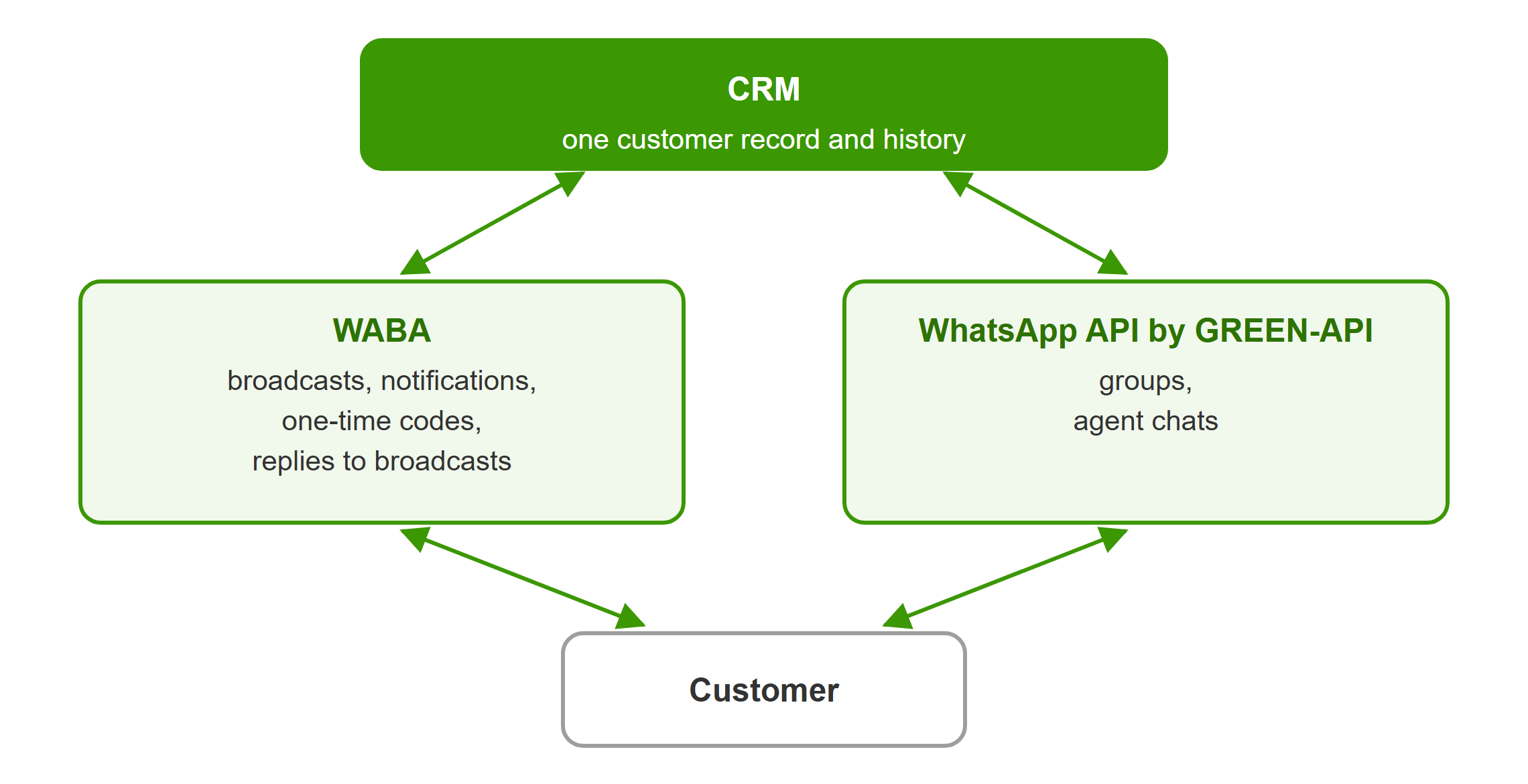
The classic setup uses two numbers with different roles. Both are connected to the same CRM, so an agent works with each customer in a single record. You can also run both channels on one number with WABA Coexistence: see the section “Can you do everything on one number?”
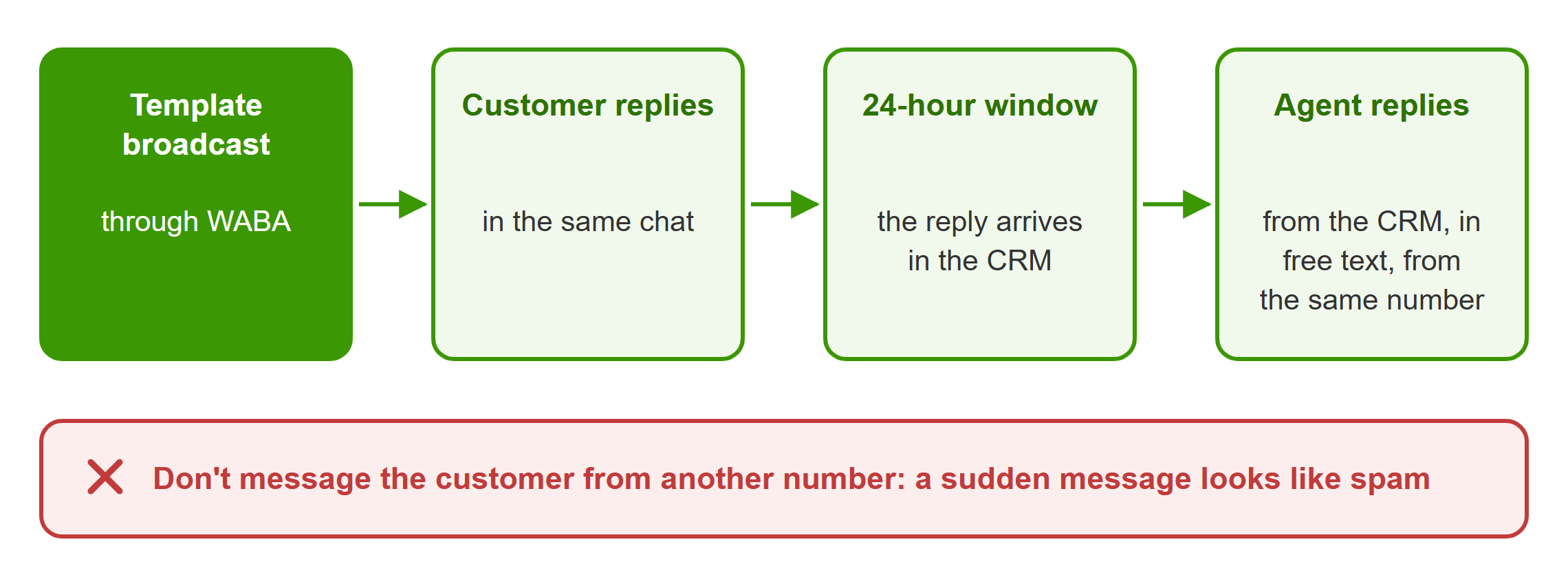
Who replies when a customer answers a broadcast? The channel the customer wrote to. Their reply opens a 24-hour window in WABA, and the agent answers from the CRM with free-form text from the same number. If the customer needs an agent, send them a link to the agent’s chat and let them write first. An unexpected message from another number looks like spam.
Three use cases
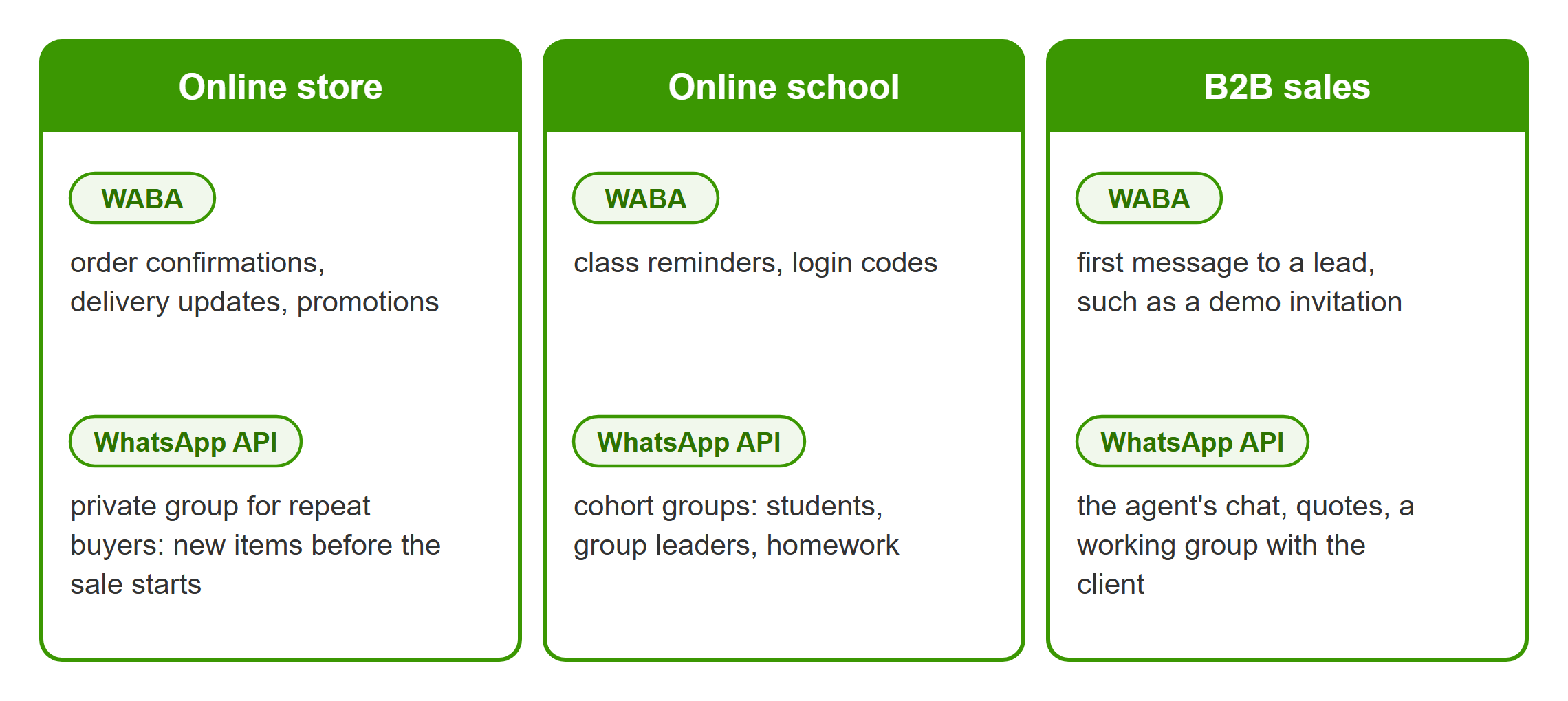
Online store
- WABA: order confirmations, shipping updates, and promotions for subscribers.
- WhatsApp API: a private group for loyal customers with large orders, where an agent previews new arrivals before launch and answers questions.
Online school
- WABA: class reminders and login codes.
- WhatsApp API: cohort groups, where the course coordinator adds students, makes group leads admins, and posts assignments.
B2B sales
- WABA: the first message to a new lead, sent as a template, such as a demo invitation. Leads come from trade shows and website forms, and each lead has to give consent to receive messages first.
- WhatsApp API: if the lead replies and wants to continue, a sales rep takes over from their own number: sends a quote, discusses details, and creates a project group with the client’s engineers.
How to avoid confusing customers
- One name and profile picture. Use the same company name and logo on both numbers. Meta approves the WABA display name, so get it approved first, then use it on the second number.
- A note in the profile. Describe each number’s role in its profile description, for example:
- WABA number: “Order and delivery notifications. Questions? Message our sales team at +1 202 555 0123.”
- WhatsApp API number: “Sales and support. We reply on weekdays from 9 am to 6 pm.”
- One history in the CRM. Messages from both numbers land in one customer record, so agents see which broadcasts a customer got and do not repeat them.
Can you do everything on one number?
Regular WABA needs a number of its own. It works only as the Cloud API, with no app on a phone, so GREEN-API connects it to a number with no WhatsApp account on it.
WABA Coexistence, also known as WhatsApp Coexistence, is what makes a single number possible. It combines the WhatsApp Business app and the Cloud API on the same number. One-to-one chats sync between the app and the API, and you can import the last 6 months of history when you connect. The app has 3 linked device slots left, and you can connect WhatsApp API by GREEN-API to one of them: templates and broadcasts go through the Cloud API, and groups and agent chats go through WhatsApp API by GREEN-API.
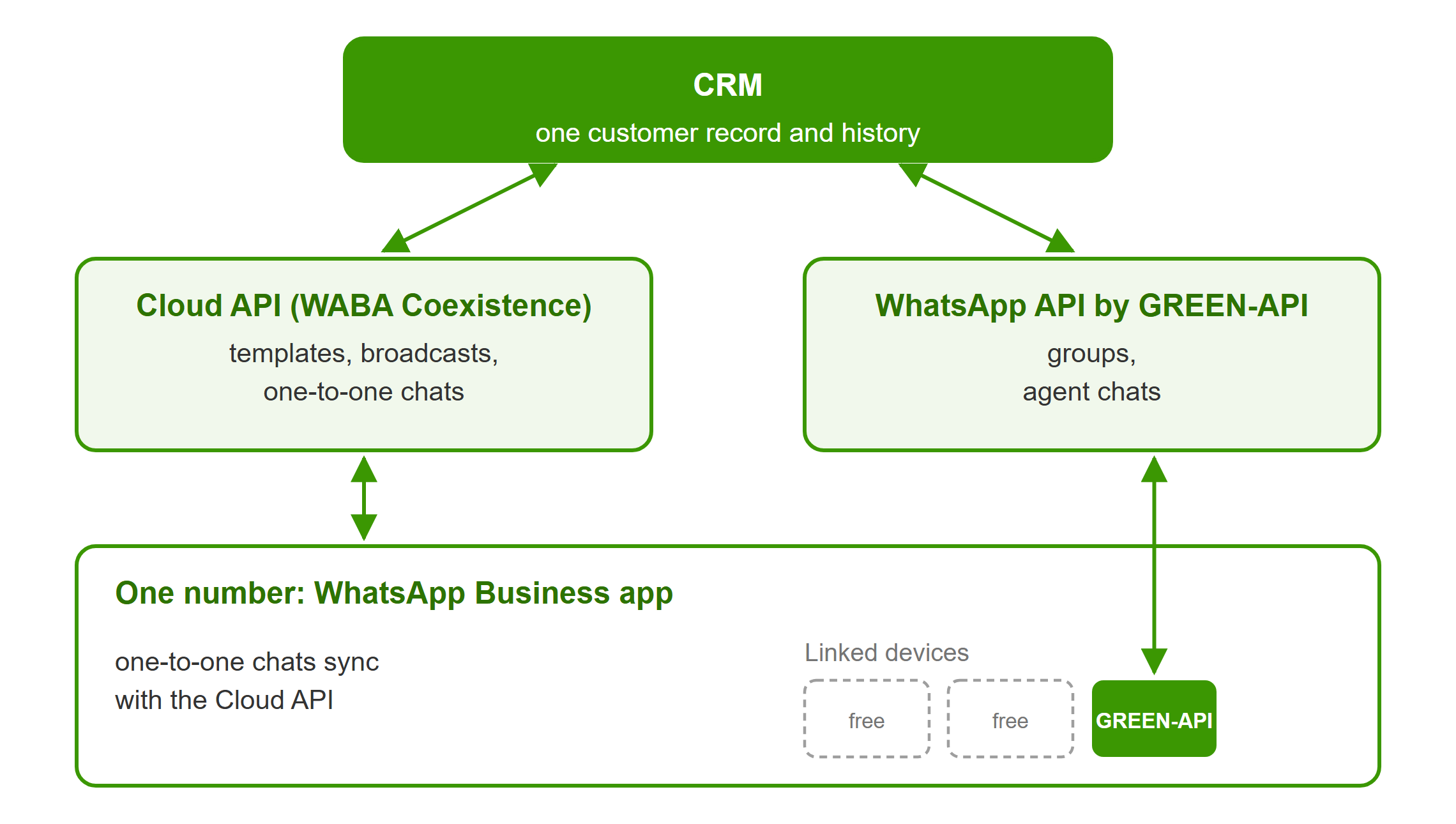
Keep these limitations in mind:
- groups do not reach the Cloud API, so they get to your CRM through WhatsApp API by GREEN-API;
- the Groups API is not available for Coexistence numbers;
- all linked devices are unlinked during setup, so connect WhatsApp API by GREEN-API after connecting WABA;
- WhatsApp for Windows and WearOS are not supported;
- these numbers cannot get the official business badge;
- both channels share one number, so send bulk messages only as WABA templates and use WhatsApp API by GREEN-API for live conversations.
Still, one number is not a fit for everything. It is safer to run groups from a separate number, and the official badge requires a separate WABA number.
Common mistakes
- Bulk messaging from a regular number. It is the fastest way to get banned. Send broadcasts through WABA only, and before you launch one, check which content WABA mailings may and may not include.
- Planning groups on WABA. GREEN-API: WABA does not support groups, and Meta’s Groups API caps them at 8 participants. That will not replace a community of hundreds.
- Different names and profile pictures. Customers do not recognize the company, assume the second number is a scam, and report it.
- Two disconnected inboxes for agents. If the numbers are connected to different systems, agents do not see broadcasts and send customers the same message twice.
How it works in GREEN-API
GREEN-API provides both channels. You connect WABA and WhatsApp API in the same console under one account, and each number gets its own instance. Both products use one balance: the same funds renew your WhatsApp API instances and pay for WABA messages.
Requests look alike in both products: the URL is built from apiUrl, idInstance, and apiTokenInstance, and incoming messages arrive as webhooks with a similar structure. WhatsApp CRM integration does not have to start from scratch: Bitrix24, GoHighLevel, and other systems have ready-made CRM integrations.
Start with the channel your team needs today: GREEN-API for agent chats and groups, or GREEN-API: WABA for broadcasts. You can add the second one later in the same account.
FAQ
Can I run groups through WABA?
Not in GREEN-API: WABA: it does not support the Groups API. On Meta’s side, WhatsApp Business API groups are available only to companies with an Official Business Account. Even then, a group can have no more than 8 participants, people join only through an invite link, and every message sent to a group is billed per participant. For groups, use the WhatsApp API.
Will my WhatsApp API number get banned if WABA sends bulk messages?
No. Broadcasts go out from a different number. The API number is only at risk from what you send from it: bulk and cold messages.
Can I move a number from regular WhatsApp to WABA?
Yes. Delete the WhatsApp account on that number, and then you can register it with WABA. Chat history from the app will not carry over. If you want to keep the WhatsApp Business app and your history, connect the number through WABA Coexistence instead.
How much does it cost to run both channels?
WABA is billed at Meta’s rates for templates and, since October 1, 2026, for replies in the 24-hour window beyond 1,000 free per month per number, plus the provider’s fee. The WhatsApp API has a monthly fee per number. You can estimate the cost for your volume in the calculator on the WABA page.
Do I need a separate CRM for each number?
No. Connect both numbers to the same CRM, and each customer’s conversations come together in one record.