
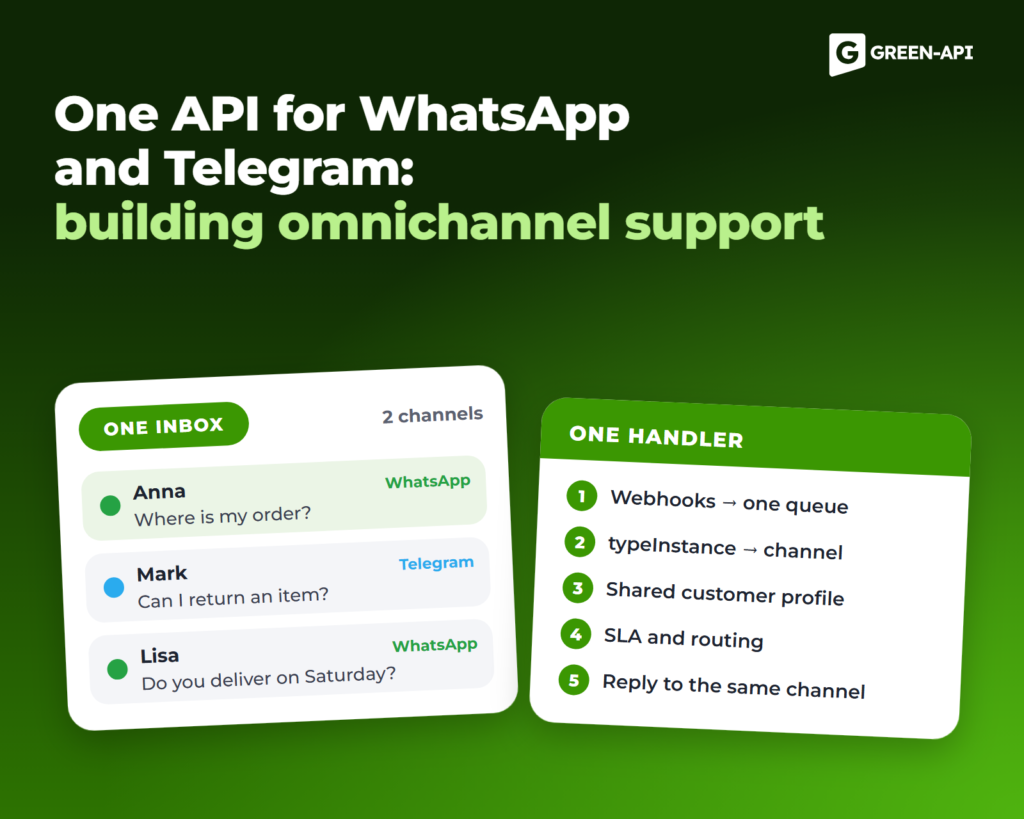
Multichannel vs omnichannel support
Multichannel support means several channels that work separately: each has its own operator, chat history and rules. If a customer wrote in WhatsApp yesterday and in Telegram today, for support they are two different.
Omnichannel support starts when the channels work as one system:
- the customer has one history across all messengers;
- requests from all channels come to a single inbox: a CRM, a help desk or an operator panel;
- response rules and deadlines are the same everywhere;
- the reply goes to the messenger where the question came from.
Why a separate integration for each messenger costs more
Teams often connect each messenger through its own API. Six months later, they have several integrations, and each one needs separate upkeep.
- Different message formats. Text, attachments and sender data look different in each API. Each channel needs its own parser.
- Different webhooks. Each has its own address, authorization and retry logic.
- Different errors and limits. Each API has its own error codes and rate limits.
- Double work for every change. You build every new support feature again for each channel, and customer data is split across several systems.
Omnichannel support architecture with one API
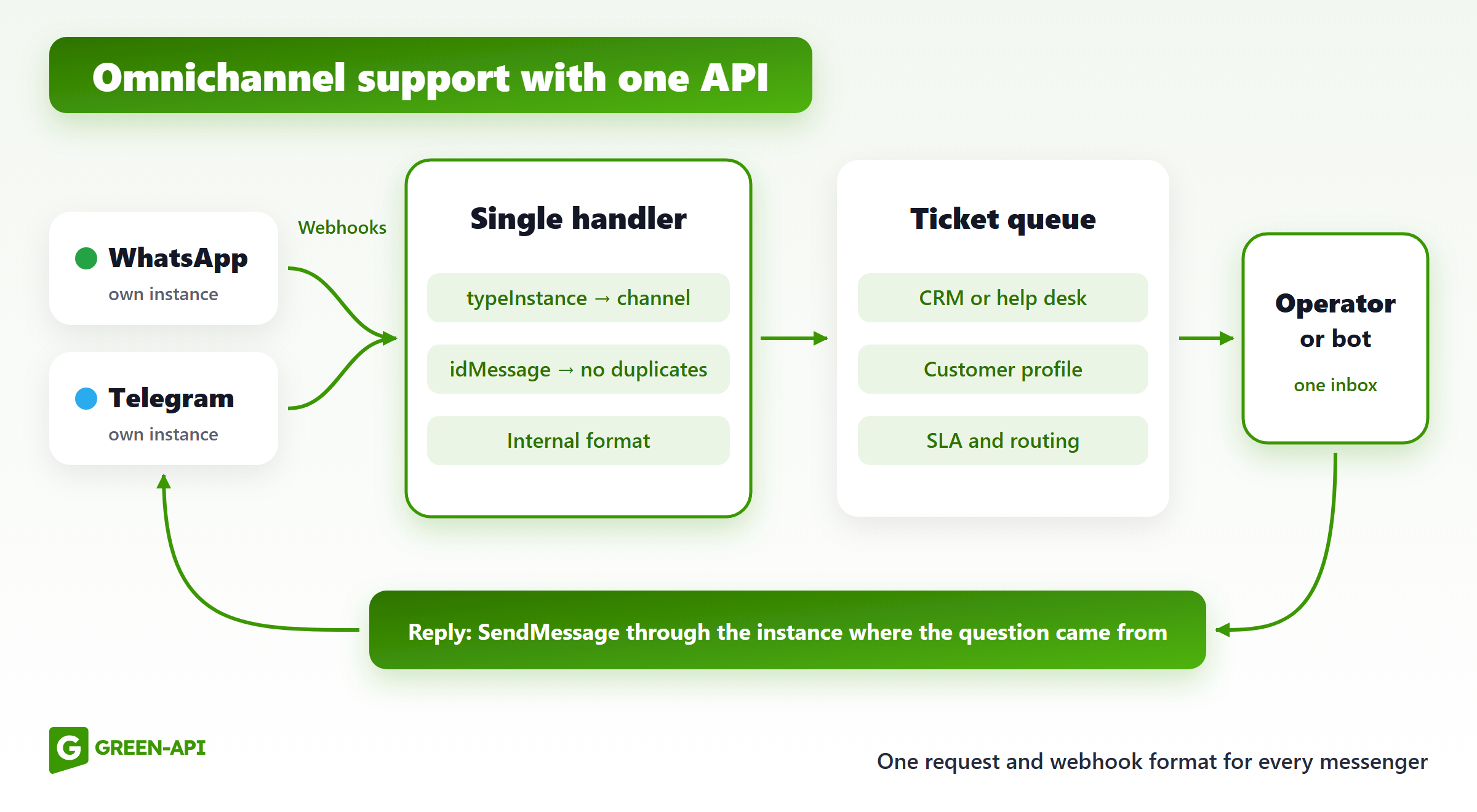
The design has five parts:
- Messengers. A customer writes in WhatsApp or Telegram. Each company account has its own GREEN-API instance.
- Webhooks. All instances send notifications to one address on your server. You set it in the console or in the
webhookUrlfield of the SetSettings method. - Handler. Your server runs a single webhook handler. It detects the channel and converts the message to your internal format.
- Ticket queue. The message goes to a queue, a CRM or a help desk. A bot or an operator takes it from there.
- Reply. The operator replies in a CRM or a help desk that shows chats from all messengers. The server sends the reply with SendMessage through the instance where the question came from.
If your server does not accept a notification, GREEN-API retries every minute and guarantees delivery within 24 hours. So a message can arrive twice: check idMessage to avoid duplicate tickets.
WhatsApp and Telegram in one API: how it works
Methods. In GREEN-API, WhatsApp and Telegram have the same methods and the typeInstance field in the webhook. To send text to either messenger, call SendMessage with the chatId and message parameters at {{apiUrl}}/waInstance{{idInstance}}/sendMessage/{{apiTokenInstance}}. Only the instance data changes. SendFileByUrl, SendTyping and ReadChat work the same way.
Channel in the webhook. The instanceData.typeInstance field shows the messenger: whatsapp or telegram. Notification types are also the same, for example incomingMessageReceived for an incoming message.
Differences to keep in mind:
- chatId format. In WhatsApp, a private chat looks like
79001234567@c.us, and a group ends with@g.us. In Telegram, chatId is a number with no suffix:1234567890for a private chat and a negative number for a group. Do not build logic on the@c.ussuffix. - Methods that are not everywhere. Statuses, product catalogs, interactive buttons and reactions are available only in the WhatsApp API. The account check method is CheckWhatsapp in WhatsApp and CheckAccount in Telegram.
- Message types. Button replies, catalog orders and group invitations come only from WhatsApp. Your handler skips an unknown
typeMessageand keeps working. Otherwise one such message blocks all the rest.
Here is a handler in Python (Flask) that serves all instances and replies to the right channel:
from flask import Flask, requestimport requestsapp = Flask(__name__)INSTANCES = {"1101000001": ("API_URL_WA", "TOKEN_WA"), # idInstance: (apiUrl, apiTokenInstance) "1101000002": ("API_URL_TG", "TOKEN_TG")}@app.post("/webhook")def webhook(): body = request.get_json() if body.get("typeWebhook") == "incomingMessageReceived": inst = body["instanceData"] save_ticket(id=body["idMessage"], channel=inst["typeInstance"], # whatsapp or telegram instance=str(inst["idInstance"]), chat_id=body["senderData"]["chatId"], text=body["messageData"].get("textMessageData", {}).get("textMessage")) return "", 200def reply(instance, chat_id, text): api_url, token = INSTANCES[instance] requests.post(f"{api_url}/waInstance{instance}/sendMessage/{token}", json={"chatId": chat_id, "message": text})
save_ticket is your function that writes to a database, a CRM or a help desk. The example handles plain text only; add other types by the typeMessage field.
One customer profile across channels
One person can have a different chatId in each messenger. So the profile key is your internal customer ID, and chatIds from different channels are links in the profile.
You can merge profiles in three ways:
- By phone number. In WhatsApp, the number is usually part of the chatId. Telegram webhooks have the
senderData.senderPhoneNumberfield. Store numbers in one format: digits only, with the country code. - By a link in the CRM. An operator sees that a Telegram customer also wrote in WhatsApp and merges the cards.
- By data from the chat. If there is no number, the bot asks for an order number, phone or email in its first message. In Telegram, a customer can hide the number:
senderPhoneNumberis then 0. In WhatsApp with@lidIDs on (beta), the chatId has an ID instead of a number.
Do not merge profiles by name only. Different customers with the same name end up in one card, and the operator answers one of them with the other’s history in mind.
Routing and SLA
Distribution. Assign tickets in turn, by workload or by skills: language, topic, customer type. A returning customer goes to the same operator, even in another messenger.
Priorities. Some channels can get a higher priority. For example, if customers write about current orders in WhatsApp and ask general questions in Telegram, you can escalate WhatsApp tickets. But the topic matters more than the channel: an operator handles a complaint from any messenger before a question about working hours.
First response time. The SLA timer starts from the timestamp field in the webhook, not when an operator opens the chat. Near the deadline, a ticket moves up the queue or goes to the shift lead.
Handover from bot to operator. The bot closes standard questions. After a stop word like “operator” or a question the knowledge base cannot answer, it passes the chat on to the operator with the full history. The chat gets the “operator in charge” flag, and the bot stays silent.
Omnichannel support metrics
| Metric | How to count | What it shows |
|---|---|---|
| First response time by channel | Median time from an incoming message to the first reply | Which channel is slow and when |
| First contact resolution | Share of tickets with no repeat question in 3–7 days | Whether support solves issues |
| Tickets by messenger | Share of each channel by day and hour | How many operators you need per shift |
| CSAT | A 1–5 rating after the ticket is closed | How satisfied customers are in each channel |
Track repeat requests in other messengers too: they point to lost history or a slow channel.
Common mistakes
- Different answers in different channels. The Telegram bot promises a 14-day return, and the WhatsApp operator says 7 days. Use one knowledge base and one set of templates.
- Lost history after a channel change. The customer repeats everything because profiles are not merged. This is the main sign that your support is multichannel, not omnichannel.
- A bot with no handover to an operator. The customer keeps getting the same menu and leaves.
- A reply to the wrong channel. The question came in Telegram, but the reply went to WhatsApp. Store the channel and instance in the ticket and reply only through them.
Omnichannel messaging API from GREEN-API
GREEN-API provides an API for WhatsApp and Telegram with the same methods and webhook format. You write the handler once and add a new messenger as one more instance. You manage instances of all messengers in one console and pay for them together. Try it at green-api.com.
A CRM integration does not always need development: there are ready CRM integrations, for example with Bitrix24. If you build a help desk or a platform and connect many clients, use the partner methods: they create and delete instances through the API, with no manual work in the console.
FAQ
What is the difference between omnichannel and multichannel?
Multichannel means several separate channels. Omnichannel means one customer history and one inbox for all messengers, with replies going where the question came from.
Do I need a separate CRM?
Not always. To start, a database with customers and tickets is enough. The operator needs only a simple panel with chats and a reply field. If you already have a CRM or a help desk, connect the messengers to it.
Can I use WABA and the regular WhatsApp API in one system?
Yes. WABA is the official WhatsApp Business Platform from Meta. In GREEN-API, WABA has the same webhook format and the same SendMessage method, so its instance connects to the same handler. Follow the Meta rules: without a template, you can reply only within 24 hours after the customer’s last message, and after that only with SendTemplate. According to the docs, typeInstance for WABA is also whatsapp, so tell its instance apart by idInstance.
How do I know which messenger a message came from?
Check the instanceData.typeInstance field: whatsapp or telegram. The exact account is in instanceData.idInstance.
How much does it cost to build this kind of support?
You pay for three things: an instance for each connected account, development of the handler and queue (or a ready CRM integration), and operator work. With one API, you save on development: you write the handler once, not for each messenger. Prices are on the GREEN-API website.
Connect WhatsApp and Telegram to one support inbox with one API: green-api.com.