
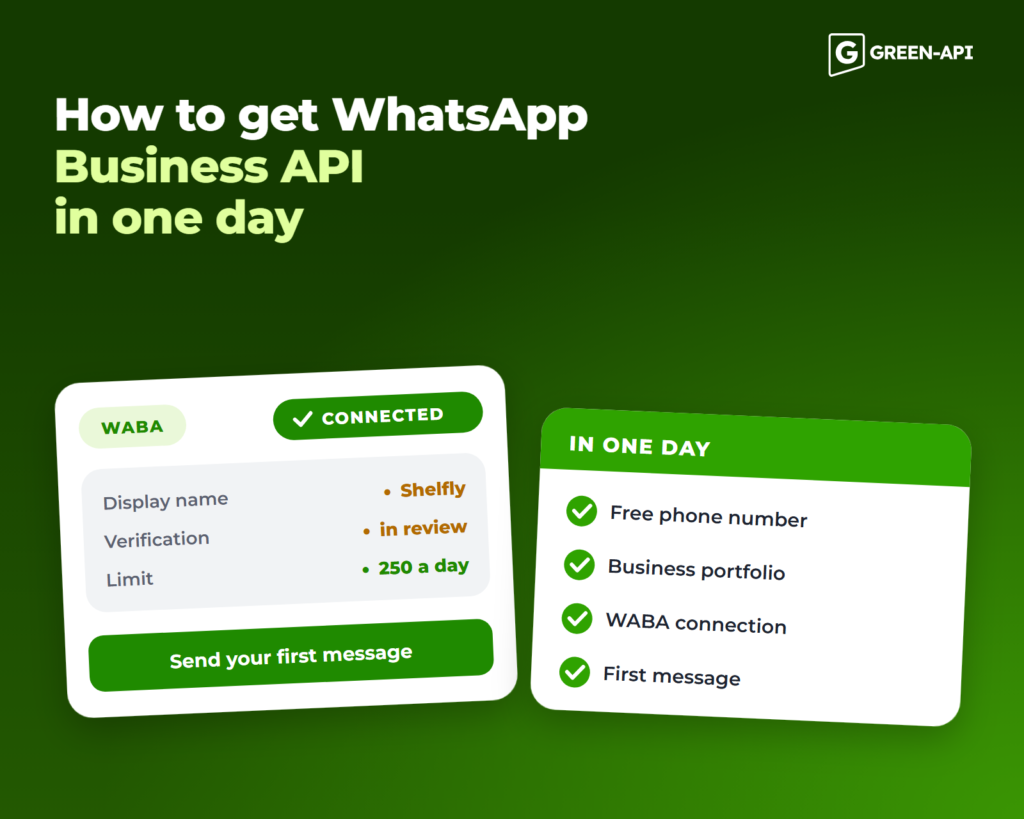
What you can do in a day and what takes longer
| Stage | Who does it | How long | Blocks sending |
|---|---|---|---|
| Phone number | You | Minutes, if the number is free | Yes |
| Meta business portfolio | You | 15–30 minutes | Yes |
| WABA connection | You and your provider’s support | About 2 hours with GREEN-API | Yes |
| Display name | You submit a name, Meta reviews it | Usually up to 1–3 business days | No |
| Business verification | You submit documents, Meta reviews them | A few days to 2 weeks or longer | No, but it limits volume |
| Badge | You apply, Meta approves or declines | Meta does not publish it; after a rejection, you can apply again in 30 days | No |
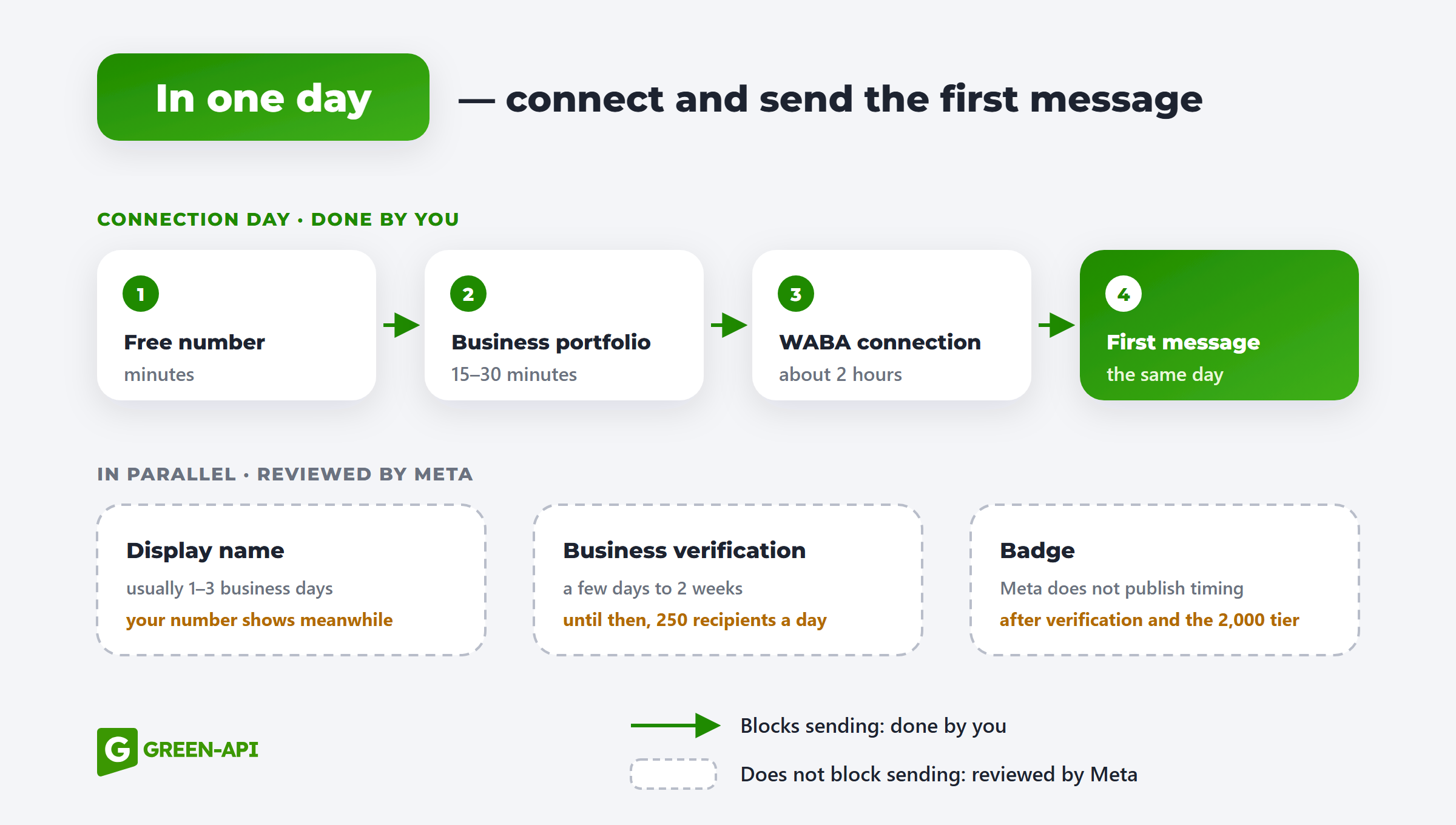
You fill in all company details yourself: only you can confirm that the number, account and documents belong to your business. GREEN-API support helps at every stage, and if a request is rejected, they’ll help you understand why and resubmit.
What to prepare before connecting
- A phone number with no WhatsApp account on it and access to SMS. One number can host one WABA account.
- A Facebook account and a business portfolio with your company’s official name, without special characters.
- A company email and a company website. An email on your company domain makes verification easier, and the website is checked during display name review and verification.
- A company description of up to 139 characters, including the company name and website. Use the same name as in the business portfolio.
The full checklist, including portfolio setup, is in what to prepare before connecting WABA.
How to connect, step by step
- Unlink your number from WhatsApp. If it has regular WhatsApp, delete the account in the app settings. Chat history will not carry over. A number from the WhatsApp Business app can stay in the app: in Coexistence mode, it connects to the API and the app keeps working.
- Create a business portfolio. Sign in to Meta Business Suite with your Facebook account, create a portfolio and fill in your company details: legal name, address, phone number and website. Confirm your company email.
- Choose a provider. Connecting directly through Meta is mostly for developers. Most businesses use a Business Solution Provider (BSP), which handles registration, the API and support.
- Register the number. In your business portfolio, create a WhatsApp Business account and enter a display name and business category. Then add the number and verify it with the SMS code.
- Get API access. Your provider gives you request credentials. In GREEN-API, these are
apiUrl,idInstanceandapiTokenInstancein your console. - Send your first message. The quickest test: message the connected number from your own phone and reply through the API. This opens a customer service window, so no template is needed.
To message customers first, you need an approved template. Your next step is to create a message template and submit it for review.
Display name: what to call your account
The display name is the name customers see on your business profile instead of your number. Meta reviews it, but you can send messages while the name is under review; customers will see your number instead of the name.
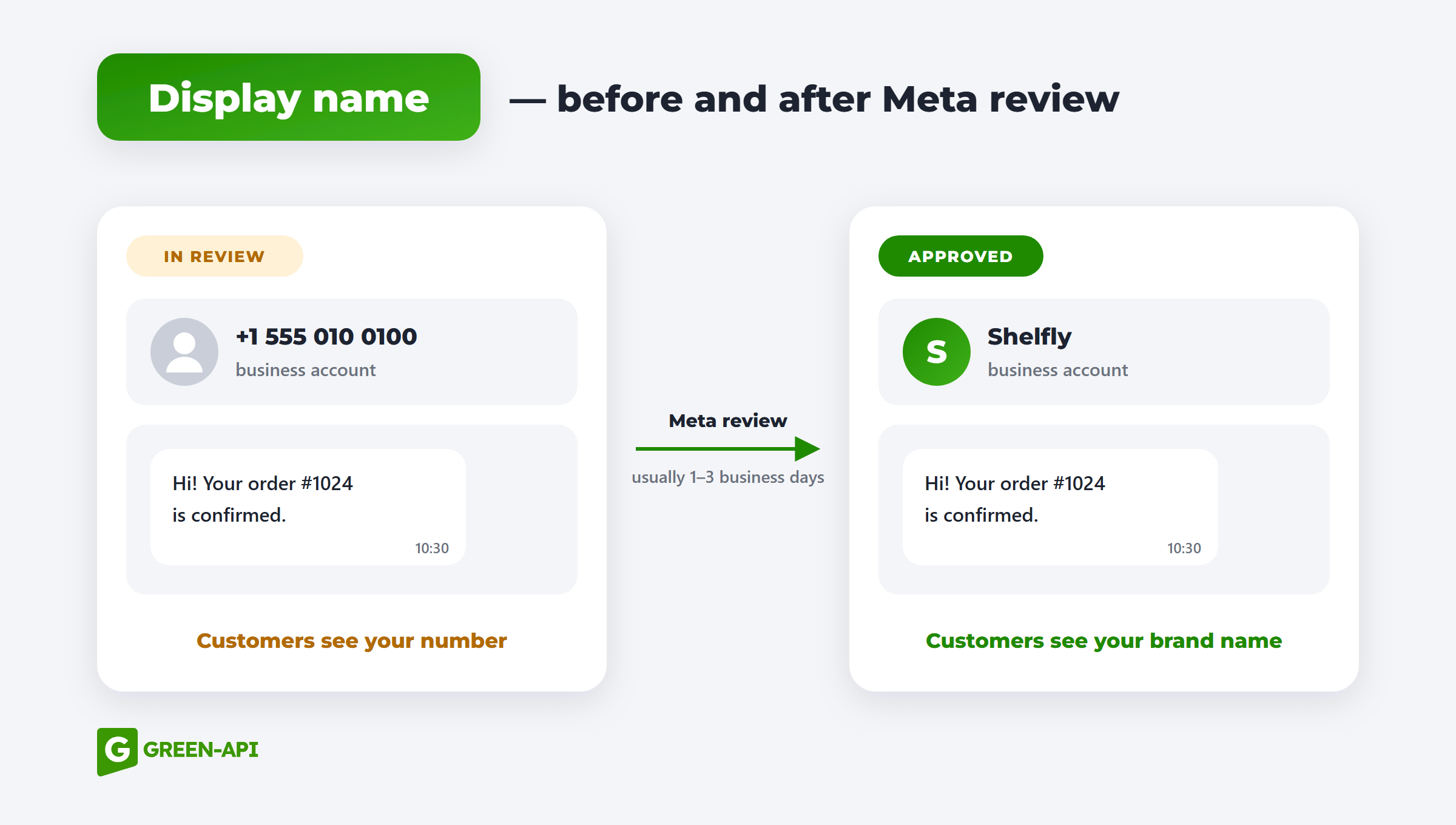
Meta’s rules:
- the name is related to your business and appears on your website or in external sources;
- spelling, capitalization and spacing match how the brand is written on your website;
- no extra emojis, symbols or punctuation unless they are part of the brand;
- at least three characters, no slogans or descriptions;
- not an everyday word like “Store” or “Services”, a city or an employee’s name.
Examples for Shelfly, a fictional home goods store:
| ✅ Suitable | ❌ Not suitable | Why |
|---|---|---|
| Shelfly | Home Goods | Generic term, not a brand |
| Shelfly Support | Support | A department without the company name |
| Shelfly | SHELFLY or shelfly | Capitalization does not match the website |
| Shelfly | Shelfly 🛋️ | The brand has no emoji |
| Shelfly | Best Deals at Shelfly | A slogan instead of a name |
| Shelfly | Anna Smith | An employee’s name |
If your WhatsApp display name is rejected, check the legal name in your business portfolio and your website: the name should appear on the site, and it helps to list the legal entity in the footer. Then edit the name in WhatsApp Manager: Account tools → Phone numbers → your number → Profile → Display name. If you are sure the name follows the rules, file an appeal with an explanation.
Meta business verification
WhatsApp business verification confirms that a real company owns the account. You can start without it, but with restrictions:
- Messaging limits. Without verification, you can send templates to 250 unique recipients per 24 hours. Verification is one way to raise the limit to 2,000; after that, it grows automatically if your message quality stays high. Replies inside the customer service window do not count toward the limit.
- Authentication templates. One-time passcodes require verification or another scaling path; see AUTHENTICATION templates for details.
- The badge. Meta does not accept official account requests without verification.
Start verification in your business portfolio: Settings → Security Center → Start verification. You will need:
- your legal name, address, phone number and website, exactly as they appear in your documents;
- registration documents, such as a certificate of incorporation, a business register extract or a tax registration;
- a document showing your company’s address or phone number, such as a bank statement or a utility bill;
- access to your email, phone or domain to receive a confirmation code.
Common reasons for rejection:
- the name or address in the form does not match the documents letter for letter;
- the website does not load, has no HTTPS or does not show company details;
- the documents are expired, cropped or hard to read;
- Meta asked for additional documents and did not receive them.
The official business badge
The WhatsApp green tick is now blue. Since 2024, the verified business badge has been blue, as on other Meta services. People still search for “WhatsApp green tick,” but it is the same badge.
There are two ways to get it:
- Official Business Account (OBA): a free request for numbers on the WhatsApp Business API, submitted in WhatsApp Manager or through your provider.
- Meta Verified: a paid subscription. It is not available in every country or for every account; if you do not see it in your settings, you cannot subscribe yet.
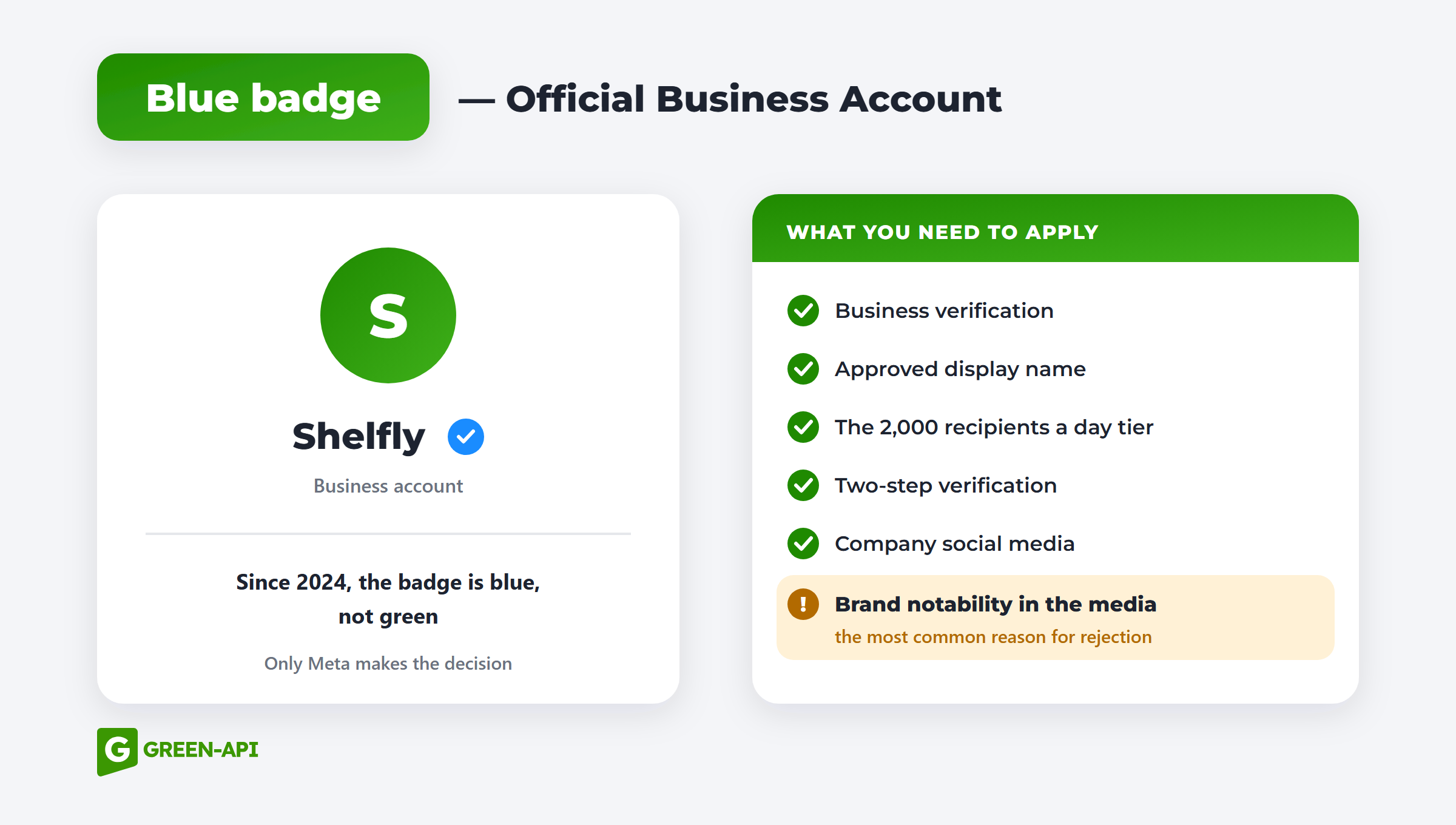
To request OBA status, you need to:
- reach the second messaging limit tier, 2,000 recipients a day;
- have active social media accounts for the company;
- complete business verification;
- have an approved display name;
- enable two-step verification on the number;
- comply with WhatsApp’s business policies.
The most important and hardest requirement is notability. Meta grants the badge to brands that people search for and that independent media write about. Paid articles, press releases and ads do not count, and lack of notability is the most common reason for rejection. Requests are also rejected when verification is not complete or the display name does not match the well-known brand name. After a rejection, you can apply again in 30 days.
You cannot buy the badge from an intermediary. Only Meta decides whether to grant the badge: a provider can submit the request but cannot influence the outcome. Be wary of anyone who offers a “guaranteed badge.”
Connecting through GREEN-API
You need to prepare:
- A number without WhatsApp, with access to SMS.
- A Facebook account and a completed business portfolio.
- A company description of up to 139 characters.
- A GREEN-API console account, ideally registered to a work email so you do not lose access when an employee leaves.
What support does: registers WABA together with you. You confirm access to the number and the email, and the specialist handles the rest. Connection takes about 2 hours. Support works Monday to Friday, 11:00 to 18:00 GMT+3.
What comes next: your instance credentials appear in the console, and you can send messages and templates through the HTTP API. Support will also help with the display name, verification and the badge request. Use the calculator on the GREEN-API: WABA page to estimate costs.
FAQ
Can I connect a number that already has WhatsApp?
Yes. If the number has regular WhatsApp, delete that account first, and chats will not move to the API. A number from the WhatsApp Business app can connect in Coexistence mode: the app keeps working, and you can move the history of private chats for the last 6 months to the API.
Do I need verification to get started?
No. You can reply to customers and send templates right away. Without verification, business-initiated messages are limited to 250 recipients per 24 hours, and Authentication templates require verification or another scaling path.
How long does it take to get the badge?
You can apply once your business is verified, your display name is approved and your messaging limit is 2,000 recipients a day. Meta does not publish review times. After a rejection, you can apply again in 30 days.
Can I change my display name?
Yes, in WhatsApp Manager. The new name is reviewed again, and until it is approved, customers see the previous name or your number. If the number already has the badge, check the conditions before changing the name: the status is tied to the number and the name.
What happens if my display name is rejected?
Messages keep going out, and customers see your number instead of the name. Fix the name using the rules above or file an appeal.
Get WhatsApp Business API with support at every stage from GREEN-API: WABA.