
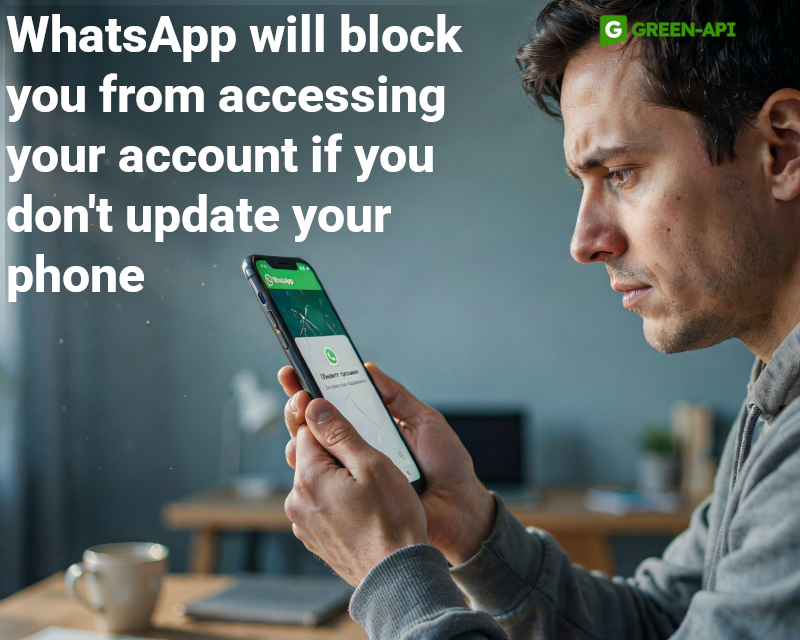
This week, WhatsApp introduced several significant updates: Restricted Chat for iPhone, login blocking on devices with outdated OS, Liquid Glass for the video player, a new Contacts tab on Android, 2x status playback on Android, and an updated navigation bar in chats on iOS.
Table of Contents
Restricted Chat on iPhone
WhatsApp is bringing the Restricted Chat feature to iOS, which limits access to selected chats to the primary mobile device only.
How it works
The feature is enabled manually in the chat info screen. Once activated, four restrictions apply: media is not automatically saved to the gallery, exporting the chat is disabled, Meta AI features are unavailable, and the chat does not sync to linked devices. The last restriction closes access for unofficial clients and AI agents connected through linked devices. End-to-end encryption remains active in any case — regardless of whether the feature is enabled or not. A system message about the new restrictions appears in the chat. The feature works only for individual conversations.
Why it’s needed
The linked device restriction closes a leak channel often used by third-party tools. Restricted Chat gives users confidence that the conversation cannot be redirected through an unofficial client.
Status
The feature is available to some iOS beta testers. Gradual rollout.
Login Blocking on Devices with Outdated OS
WhatsApp is starting to block account login on devices with outdated operating system versions, requiring an update.
How it works
When attempting to log into WhatsApp on a device with an outdated OS, a new screen appears informing the user that the system needs to be updated. The user must go to device settings, install the available update, and only then complete the login. This step cannot be skipped — login is blocked until the system is updated. This is a server-side update that does not require installing a new version of WhatsApp. It applies to both Android and iOS.
Why it’s needed
An outdated operating system is a weak link in the security chain. Attackers look for known vulnerabilities in old OS versions to install malware that can intercept data before it is encrypted. End-to-end encryption does not protect already intercepted content. WhatsApp is making the dependency of app security on OS currency more explicit.
Status
The feature is being rolled out server-side for select accounts on Android and iOS. The exact reasons that trigger the block have not been announced.
Liquid Glass for the Video Player
WhatsApp is updating the video player on iOS, adding Liquid Glass design support for the progress bar.
How it works
The progress bar in the video player now appears as a floating element with a translucent, glass-like background and rounded corners. In light theme, the background is white; in dark theme, it is dark. The bottom control bar has also been updated in the Liquid Glass style. The design is supported on iPhone, iPad, and Mac, ensuring consistency across all Apple platforms.
Why it’s needed
Completes WhatsApp’s transition to the unified Liquid Glass design language across all screens. Previously, the video player was one of the last elements without support for this style.
Status
The feature is available to some iOS beta testers, as well as some users from the App Store. Gradual rollout.
New Contacts Tab on Android
WhatsApp is testing a dedicated Contacts tab that will replace the Updates tab and become the central place for managing contacts.
How it works
The tab contains a search bar and a full contact list with sorting by activity or alphabetically. Contacts who are currently online are marked with a green dot. For others, the last seen time is displayed (if not hidden by privacy settings). At the bottom of the tab, there is an “Invite a friend” button for sharing a WhatsApp link. Birthday reminders are also planned (cake emoji and “Birthday today” label). At the end of the list, there is a shortcut to chat with Meta AI. All displayed data respects contacts’ privacy settings.
Why it’s needed
Creates a unified space for viewing available contacts, their status, and birthdays. Simplifies finding contacts to start a conversation and eliminates the need to switch between sections.
Status
The feature is in development for Android. A release is expected in a future update.
2x Status Playback on Android
WhatsApp is bringing the ability to view statuses at double speed to Android.
How it works
While viewing a status, the user holds their finger on the right side of the screen — the video starts playing at double speed. When they release, the speed returns to normal. The gesture works at any point during viewing and requires no setup. The feature is familiar to users of Instagram, TikTok, and YouTube.
Why it’s needed
After the music clip duration in statuses was increased to 30 seconds, some updates became noticeably longer. Faster viewing allows users to scroll through statuses more quickly, saving time. It works with any video, not just those with music.
Status
The feature is available to some Android beta testers. Gradual rollout.
Updated Navigation in Chats on iOS
WhatsApp is introducing a new navigation element in chats and groups that solves the problem of contact name readability on certain wallpapers.
How it works
Instead of plain text with the contact’s name, a button with the profile photo, name, and status (online or last seen) appears in the top bar. The button is designed in the Liquid Glass style and adapts to the background while maintaining readability. Tapping it opens a popup menu with quick actions: search, contact info, media and documents, chat theme, disappearing messages, and mute. For groups, the ability to invite new members is added. The menu uses the same translucent style.
Why it’s needed
Solves the problem of unreadable names on light or patterned wallpapers. Provides quick access to frequently used actions without going into chat info.
Status
The feature is available to some iOS users from the App Store, as well as some TestFlight beta testers. Gradual rollout.
Conclusion
This week, WhatsApp focused on security and convenience: Restricted Chat for iPhone and login blocking on outdated OS strengthen account protection, Liquid Glass for the video player completes design unification, and the new Contacts tab and faster status viewing make everyday communication faster and more convenient.
At GREEN-API, we monitor all WhatsApp updates to bring you the latest news and solutions for automating your business processes. Stay with us to be the first to know about all the latest developments!