
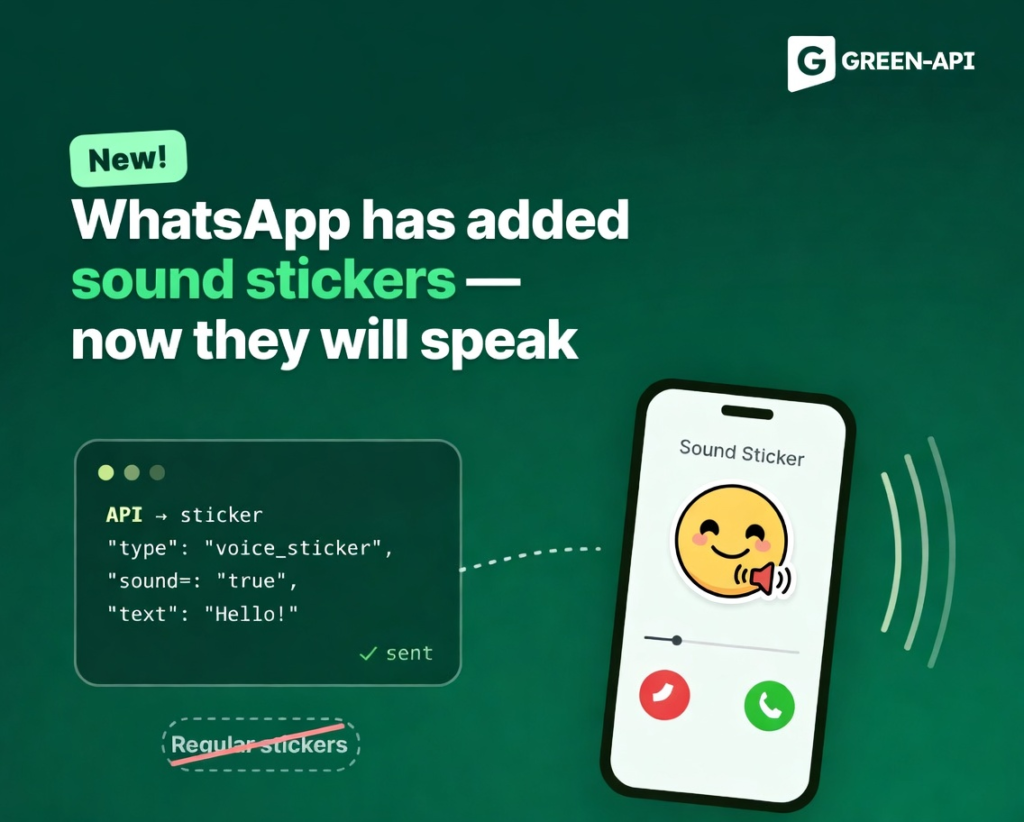
This week, WhatsApp introduced several significant updates: a simplified settings interface on iOS, scheduled messages on Android, sound stickers, the official launch of guest calls, chat themes in the web client, and a new selected-tab indicator in the Android bottom navigation bar.
Table of Contents
Simplified Settings Interface on iOS
WhatsApp is testing a new settings page layout that separates frequently used options from secondary ones.
How it works
The “You” tab (formerly “Settings”) will keep the profile name, photo, and phone number at the top. It will also retain the most useful options: Subscriptions, Lists, Broadcast messages, Events, Starred, and Linked devices. The remaining settings will move to a separate menu accessible by tapping the gear icon in the navigation bar. This menu will contain Account, Privacy, Chats, Appearance, Notifications, Agents, Storage and data, Parental controls, Help, and Send feedback. A search bar will appear at the top of the menu for quickly finding the desired setting.
Why it’s needed
Over the past year, the settings page has become overloaded with many new features. The new structure separates frequently used settings from rare ones, making the interface cleaner and more intuitive.
Status
The feature is in development for iOS. A release is expected in a future update.
Scheduled Messages on Android
WhatsApp is launching the ability to delay sending messages in chats and groups.
How it works
The user types a message and long-presses the send button. A date and time picker appears. A message can be scheduled from 10 minutes up to two weeks in advance. WhatsApp will send it automatically at the specified time, even if the app is closed or the device is offline. Text, links, photos, and videos are supported (one item at a time). Scheduled messages appear in the chat info screen, where they can be viewed or deleted before sending. The recipient will not know that the message was scheduled.
Why it’s needed
Helps users remember to send birthday greetings, reminders, or important information at the right moment. Useful when there is a time difference or a busy schedule.
Status
The feature is available to some Android beta testers. Gradual rollout.
Sound Stickers
WhatsApp is developing a new sticker format that plays a sound when tapped.
How it works
A sound sticker looks like a regular sticker but has an audio track. When receiving such a sticker, the user sees an audio icon and can tap the sticker to hear the sound. In silent mode, the sticker plays without sound. The user can mute a specific sticker, and WhatsApp will remember this choice for other sound stickers. In the future, users will be able to create their own sound stickers by combining a sticker with an audio clip.
Why it’s needed
Adds interactivity and expressiveness to communication, making stickers more lively and personalized.
Status
The feature is in development for Android. A release is expected in a future update.
Guest Calls — Official Launch
WhatsApp has officially announced guest calls, allowing people without an account to join calls via a link.
How it works
A user with an account creates a call link in the Calls tab. The link can be sent to anyone, even those without WhatsApp. A guest opens the link in a browser, enters their name, and enters the waiting room. The host must approve the join request — this is a mandatory rule. A guest can participate in one-on-one and group calls (up to 32 participants). Screen sharing, reactions, and hand raising are available. The guest cannot see other participants’ phone numbers, cannot send messages during the call, or add new people. Calls are protected by end-to-end encryption. WhatsApp is also working on integration with Google Calendar and Outlook to create calls from the calendar.
Why it’s needed
Allows quick communication with people who don’t have WhatsApp without requiring them to install the app. Useful for business meetings, consultations, and emergency situations.
Status
The feature is available to users on the latest app versions. Gradual rollout.
Chat Themes in the Web Client
WhatsApp is introducing chat themes to the web version, allowing users to personalize their conversations.
How it works
A “Chat theme” section with 27 themes displayed in a grid has appeared in the web client settings. When selecting a theme, a real-time preview appears on the right. A theme can be applied to all chats or set individually for a specific chat via chat info. Themes change color and wallpaper simultaneously. Users can also manually adjust the wallpaper and color, and enable or disable the doodle pattern. Changes are visible only to the user; other participants see their own themes or the default look.
Why it’s needed
Personalizes the web version and unifies it with the mobile apps. Makes it easier to distinguish chats and makes the interface more pleasant.
Status
The feature is available to some WhatsApp Web beta users. Gradual rollout. It will also appear in the Windows app.
New Selected-Tab Indicator in the Android Bottom Navigation Bar
WhatsApp continues to refine the bottom navigation bar, testing a new style for the active tab indicator.
How it works
Previously, the selected-tab indicator was pill-shaped. Now WhatsApp is testing a round green indicator that appears behind the active tab’s icon. The bar remains floating, with rounded corners and no text labels. The round indicator looks larger and more prominent but retains a clean look thanks to its simple, symmetrical shape. The style is reminiscent of the indicator on iOS.
Why it’s needed
Continues the redesign of the Android bottom navigation, making the interface more modern and visually consistent with other platforms.
Status
The feature is in development for Android. A release is expected in a future update.
Conclusion
This week, WhatsApp focused on convenience and personalization: simplified iOS settings and scheduled Android messages make app management and communication more efficient, sound stickers add expressiveness, guest calls open the platform to new users, chat themes in the web client unify the experience, and the new navigation indicator continues the Android redesign.
At GREEN-API, we monitor all WhatsApp updates to bring you the latest news and solutions for automating your business processes. Stay with us to be the first to know about all the latest developments!