
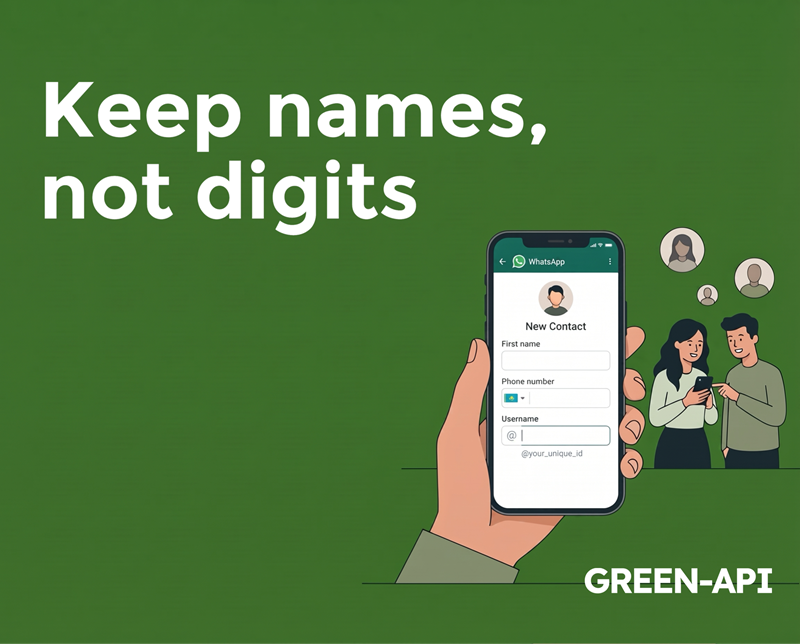
WhatsApp for Android and iOS is gradually making available a new field on the contact creation screen that allows you to save a username along with their name. This field appears on the same screen where users enter the name and phone number of a new contact. Those who already have a username can ask new people and businesses to save it in their WhatsApp contacts.
Table of Contents
What’s is going on
WhatsApp is preparing the app for usernames ahead of its official launch in the coming months. Part of this preparation includes updating the contact creation screen with a new username field. With the latest WhatsApp updates for iOS and Android, WhatsApp is making it easier to create contacts using usernames. Specifically, the messenger is introducing a new username field that can be filled out when creating a new contact. Some may have noticed this new field in the past few weeks, which is now becoming available for more accounts.
Why is it necessary?
Suppose you know someone’s username but not their phone number. Currently, you can’t message them on WhatsApp without it. This field allows you to save a username in advance, so once your account has an official username and you can hide your phone number, you’ll already have everything you need to contact them. This way, you won’t need to request a phone number or go back to updating your contacts.
How it works
The new field appears on a screen familiar to most users, who can tap the “+” button in the navigation bar of the “Chats” tab. Here, they should select “New Contact” from the top of the list. The contact creation screen looks the same as before, but users will notice one interesting addition: WhatsApp has added a username field next to the name and phone number. Users who already have a username can use this new feature to ask others to save it along with the rest of their contact information. Once usernames are publicly available, WhatsApp will allow this field to be automatically populated whenever a new contact is created on the chat details screen.
Saving a username allows WhatsApp to associate a contact’s name with their nickname. By saving contacts by username, you can easily find them at any time. The name appears in conversations as it always has, so nothing changes for the user. This means people won’t have to guess who’s behind the username they’ve already saved.
Contacts by username and status updates
When users save a contact by their username, WhatsApp adds them to their address book using the contact upload feature. This feature also allows users to share statuses with contacts by their username, as long as both have saved the other user’s contact in their address book.
Therefore, the same rule applies in this case as for contacts by phone number. Note that WhatsApp has introduced a feature that allows some people to receive status updates from people they’ve recently interacted with. For example, you’ll be able to receive status updates from someone you’ve recently chatted with if they’ve added you to their privacy settings. This feature is now also compatible with contacts by username, and your phone number remains protected.
If you don’t want to see their updates, you can simply hide them at any time. By default, status sharing also works if both users have saved a contact by username and added the other user in their privacy settings.
When will it be available?
The username field on the contact creation screen is currently available to some users who have installed the latest beta version of WhatsApp for iOS and Android. Please note that some users of the stable version on the App Store and Google Play may also notice this field. WhatsApp has not yet announced when this feature will be available to everyone, as it may not be visible in all regions.
Conclusion
As you can see, in anticipation of the release of the long-awaited username feature, WhatsApp is actively expanding its capabilities, offering users the ability to save contacts by their nicknames.
At GREEN-API, we monitor all WhatsApp updates to provide you with the latest news and solutions for automating your business processes.
Stay tuned to stay up-to-date with all the latest developments!